Showing posts with label mount. Show all posts

Friday, 18 November 2022

Story Time - Fantastic Rack Mount Mistakes - Part 33 and 1/3

It has been a very long time since my last story time, and so this one comes to you with an unknown number, I am however well beyond any possible NDA or secrets for this one, so I can finally share (it's been 20 years yesterday).

I had a job in a data center, nothing too special, but I loved it.  The loud room, the air conditioning, the rack upon rack of machine, I absolutely loved it.  We're talking 2002 here, these were the 2U high style of machine I use a lot today, the odd 4U or 8U JBOD box too, loved them all.

I had all my wiring terminated and was beautifully dressed, I wasn't in charge of the whole place, just one isle, but I took my time whenever there was an issue to run new cable bundles beautifully dressed along the cabinet runners into each cabinet top, seven cabinets to a row, two face to face on the cold row and then the back of these into the hot, I had a hot row run by a lovely guy called Jerod next to me, he was French I think, lovely guy (shout out to Jerod if you're reading!).

The other side I had the work bench, a coveted space, between the hot and cold isles were thick plastic strip drapes, like you'd get in a meat packing plant.

We would patrol our isle, identifying any issues or disks showing physically bad, schedule them in for late night fix ups and then to into the communal office where we each hot desked.

Each of us had a laptop and would sit and connect into the monitoring suite remotely, with a big screen we connected via VGA to our laptops and dozens of spare keyboards we could quite often spend the night shifts doing nothing but playing games; Medieval Total War was the order of the day for me at the time; some of you know of my origins in the "game industry" take me back to hacking about and modifying MTW (Sorry Tom, whom I now work with, for fishing about breaking your baby).

Anyway, about three months into this job another tech on the day shift came to me about Isle 4, the far end of the room, he was getting drop outs at intervals during the day, but none at night, he was trying to figure out what might be causing it.

We took a look at his logs and sure enough on his disks he had 250-700ms delays for seek times on his platters, he also had a higher than average fault rate on disks, apparently he was also rebuilding raid arrays a lot.

He asked us in the night team to watch over the kit live; which we duely did.... Quiet as a mouse, nothing not an issue ever in about three months of monitoring.

Meanwhile in day light he was tearing his hair out; I've got to admit to genuinely not remembering his name, but he had long greasy black hair and was from Northampton which he told me more than his name... "Hello I'm <forgetable>, I live in Northampton".

But forgettable as he was I can't forget the day he handed that isle over to me.

Stumped as to what was going on, and frankly pulling rank, he shuffled Jerod down to Isle 3, himself into Isle 1 (my isle) and all new machines were coming into isle 2, which mr senior with disk failures was going to be setting up.

This really irked me, my isle was by far the best presented, when sales wanted to show new accounts around they showed them my isle and they all laughed over the name of the cabinets; we couldn't name the machines, most of them belongs to customers, but we could sticker and name the cabinets themselves, so they all got Bond Theme names.... Jaws, Octopussy, Moneypenny, Q and M all had simple servers, processors more or less and my two JBOD cabinets were Sean and Roger.  Stencilled on in lovely white enamel paint.

So I was hoofed off to isle 4, dark, at the back, no work bench... and immediately set about making it my own, I redressed the cable bundles (which annoyed Mr Senior, though he loved my already done ones, my dressing his was seen as an overt declaration of war).  It's so simple too, cable tie around five, cable tie through the middle to break them into three and two sets then pull.... Today you can get cable combs and I find them so sexy.

Anyway, dressed to impress what was not impressing was the fault rate, and instead of it being the accepted norm; as it had been for Mr Senior for months; it was now a big deal because I was in charge of the isle.

I set about trying to work it out, I could not figure it out.

At night, when I was there it was all fine, the day guys saw nothing; they pretty much just tended the machines remotely, no maintenance happened between 7am and 7pm so it was up to the night guys like me to swap disks, rebuild arrays, fix cables and install new machines.

So after two weeks with the log I got showing all these faults, like what was causing a disk which had worked all night and most of the day suddenly to show 500+ milliseconds seek!  It made no sense.

Anyway, 2002 was coming to a close, December 21st rolled around and I offered to cover a couple of the guys shifts, they had kids it was nearly Christmas and we worked Christmas Eve and half Christmas Day, one guy on on guy off for 6 hours at a time those two days, I took two shifts back to back.

Alone in the office, I watched the monitors and played games.

No spikes.... What gives, no spikes on the DAY I am actually here.

Hold on, I'm here, but no-one else is.

Could it be human interference?  I checked electrical circuits for noise, I checked lights, I checked if the air conditioning was affected outside and in.  I checked everything, no signs, no peaks, no noise.

HANG ON.  NO NOISE!

Spinning disks can be affected by loud noises, specifically by vibrations, I'd seen this demonstrated when doing my Compaq certification training.

There was no noise, could it just be vibration?

We were on the first floor (for anyone in the US, this is the floor above the one on the ground) so we are one storey up.  There was the main reception below center of the room, to the right where isle 1 is would be a hall way void with offices leading off it, under isle 4 would be a toilet and a changing room.

I went down, put the shower on, came back up.... Nope.

Then I took my laptop with me, no wifi, but I could plug it into various office ethernet ports around the place as no-one was in.

There I am Christmas Day, banging doors, flicking lights, flushing loos and then pouncing on my laptop to see if it affected any of the disk activity I was artificially running up.

Nothing.

Defeated I logged my time, handed over to Jerod and went to have my Christmas dinner.  I had 12 hours to think of something for Boxing day.

I walked into Mr Senior asking why there was CCTV of me "Dashing about with my laptop in random offices".

I just said I was trying to check light circuits for his disk issues; he made it abundantly clear they were my disk issues and left me to it.

Boxing day, the sales had started, the building was at the corner of a large commercial estate, there being a newly built Ikea across the road as the crowds rolled in and their stock levels fell they would be due a delivery soon.

I still poked around the office and the eureka moment came on the 27th December 2002.  For a large lorry was rumbling past the office, I had to wait for it to pass, a massive blue IKEA clad lorry.  I went into the office, logged into the monitoring and sure enough there was a trace of a large disk issue.  Times 4 minutes before; when that lorry went past!

I didn't hear it, I didn't feel it... But had the disks?

I waited and watched when a few lorries passed during the fairly quiet week between Christmas and New Years, nearly every heavy lorry going back resulted in some affect on the disks, vibration was being carried into the ground and I guess up through the building.  I will be honest, I could not tell.  But every spike I saw was timed with a lorry.  In fact I soon let Jerod in on my idea and plan to fix it and so he watched and I monitored and when he came in I could tell him when a lorry has passed!

I was not about to shout about this to Mr Senior, instead I set about fixing it.

I ordered a mat of 1 inch thick rubber, the stuff you mount washing machines on in your kitchen.  I already knew the racks pretty well, they were bolted at each foot, I'd need a torque wrench to unbolt them and I could use two of the hydraulic scissor platform lift trolleys we used to move machines about to lift the rack ever so slightly.

I didn't want to do this alone, so Jerod was roped in with the promise of a take away pizza from the glorious; but long gone; parlour we loved.

Mr Senior handed over to me and Jerod that night, it was not uncommon for two of us to be on at night, especially if there was work to do fitting something out.  It was normal to have two people when we were lifting machines too.  But Mr Senior would have been apoplectic if he'd know what us two kids were about to do.

I unscrewed the first rack from the floor, swept the dust out and used a wooden baton to bridge the lip to the metal of the scissor lift and I cranked it.... The cabinet moved, I nearly wet myself as it looked like it was going to topple, then Jerod jacked his side up on the other side and it came level, with an inch to spare I slipped in two of the pads.   He slipped in his two and at a shout over the loud AC we lowered.

I then used a phillips head screw driver to puncture the rubber and a knife to dig a bit out through each bolt hold and fastened the bolt back through, not too tight, just tight enough.

It was sweaty work in the hot isle as I was, but we did the first three of seven that night.

I went home and decided to pre cut the squares and use a drill to cut the middle out of them,the next night all seven were done.

Our disk fault rate when to zero.

That was my last time as an IT minion; I went back to programming soon after, and Mr Senior never was told what we did... His training should have told him.

Tuesday, 2 March 2021

Linux - Detect, Format & Mount USB-Flash Stick Natively

I've had yet another drive fail in one of my old Linux servers, this was an old 2.5" mechanical just used for booting... so I'm able to go in; just about; and copy all the data off of the machine.

However, the USB-flash drive I chose as my life-boat was being a bit of a pain, here's the commands I did:

  • ls /dev/sd*
    (and note down the replies)
    (insert the USB-Stick)
  • ls /dev/sd*
    (note the label of the new drive, for me this is /dev/sdc)
  • sudo fdisk /dev/sdc
    (delete the existing exFat partition)
    (new partition max size - of Linux type)
    (write & exit)
  • sudo mkfs.ext4 /dev/sdc1
  • mkdir ~/external
  • sudo mount /dev/sdc1 ~/external
  • sudo chown <myUser> ~/external/
  • rsync -a -v /myData/ ~/external
I could "sudo" rsync and save the need to chown, but here you go.

I'm out, more from the HMS Rodney build soon!

Sunday, 4 November 2018

Server Crash... And Corrupt

Yeah, something very bad has happened with one of my boxes... It was not responsive over the network this morning, I thought little of it, power cycled it and came back to it this afternoon.

Anyway, it was still not playing ball, I rolled the vmlinuz image back to 4.4 from 4.15 (the last unattended update I did last week) but everything.  I mean everything, every command, every program (except cat and ls) resulted in a "segmentation fault".

Booting into recovery I got a little further, but the syslog looks very worrisome...


And I could only see this image when I had hauled the machine back into the office and plugged a VGA cable into it, over the network and even over the serial TTY it just sat there spinning it's wheels.

I would like some of the data back off this box, it contains the current (more recent) live image of my WOW server and it contains the old archived version of my Ark server.

Other than that there is a ZFS area which I've dumped home photo's onto, but getting that back is easy, I just pull one of the drives out and remount the ZFS elsewhere... I think though I may buy a new main disk for this machine, I like it.

Tuesday, 13 March 2018

Great Rack Mount Mistakes #6

A long time coming, here's another story from my days long past, this one takes me to my very first serious role in an IT department, I was however just the dogs body.  The company ran many old PC's (which I actually was around to see mostly be updated to nice Compaq Pentium III's) and they had a couple of high spec Silicon Graphics workstations in the design department.

The main manufacturing control and purchasing system, as well as payroll and a bunch of other services ran on a dual 386 based mini computer, which had a custom cut of ScoUnix and a bunch of bespoke C programs comprising the actual system stack, this was accessed by a whole host or Gandalf multiplexers combining the serial connections down from a hundred or so Wyse brand terminals (I wish I'd have nabbed one of those before I left).

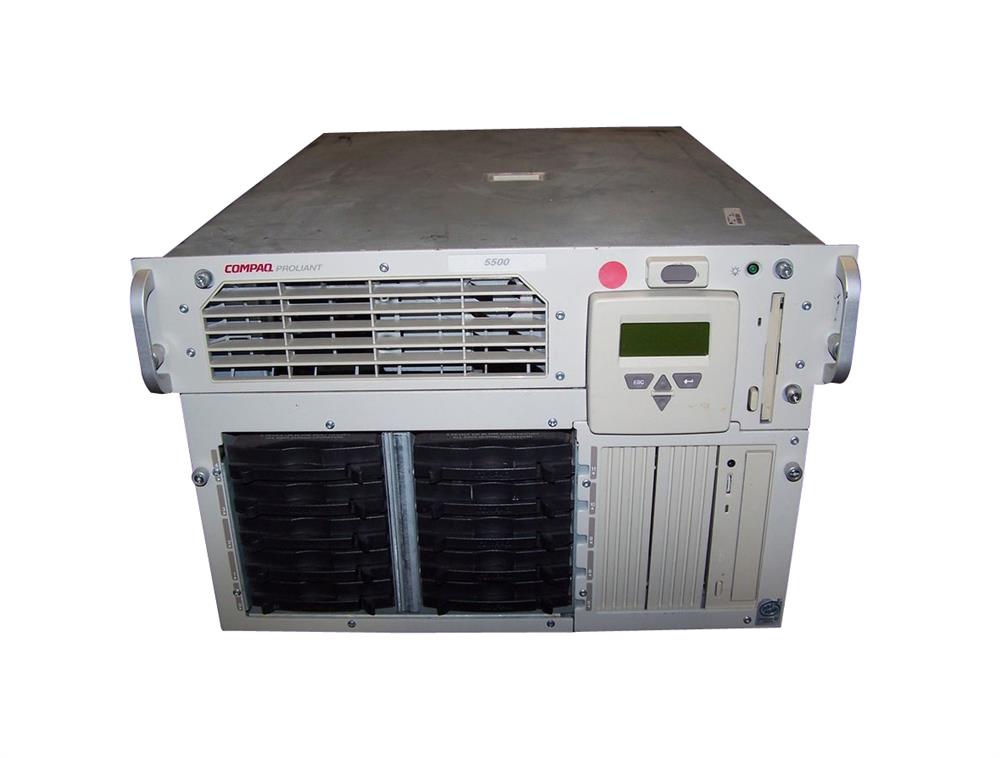
Anyway, it was time for this back end stack to be updated, and so a pair of Compaq Proliant servers were brought in, these were dual Pentium III class with a dedicated storage unit and a large; and importantly heavy; UPS unit.


The problem?  The IT manager I worked for (Hi Dave) didn't get on at all well with the manager at the co-location this unit was to be installed in.  Therefore in a dual effort to maintain any vestige of control and avoid the guy he didn't like, my boss ordered all the equipment to be delivered to our office... In central Nottinghamshire.... Yet its final destination once configured was to be outside Peterlee in the North East, near Newcastle.

So after around a day of setting up the equipment and (as far as I recall) three days solid compiling time - yes it took that long - the system was ready to go.

However, no-one had kept the boxes, yes it was all out of the box spread on a floor and then hand hauled over to a fire-exit and precariously piled into the back of a Hyundai estate.

Yes, that's how tens of thousands upon thousands of pounds worth of top notch equipment (for 1998) made it's precarious way 120 miles, bouncing and jostling all the way.

At the time I never questioned this, I was a lowly minion, I would of course council against such a move ever again, the installation of the physical equipment should have been done at the remote site, and they definitely should have kept the boxes and packaging in full!

Thursday, 10 November 2016

My Home Network

My home network has been neglected, this is one of the problems of working in Technology, when you get home you are not going to be doing very much technology... Or maybe I'm just too interested in other things... Whatever the reason, neglect has set in.

Lets take a look at my home setup:

The network is broadly speaking split into two, the parts downstairs and the parts upstairs.

Downstairs is pretty much the Cable Modem box, a home hub set to Modem Only mode, connected to a Linksys router with some network attached storage for dumping files or media.

Upstairs is where the trouble begins, the critical path is to the left two upstairs items, my Xen server and especially my main Workstation, without these I can't work at all.  So thats two connections which I do not mess with, moving down we see the dotted yellow line, this is a single cable which lays on my desk that pays double duty to my powerful laptop or a raspberry Pi, so that's a spare I generally always need around.

We've used up four of our eight ports on the switch.  The final four are each going to the DRACs on my Dell Servers, which means they have no data connection.  If I want data to them (which is pretty much every time I use them) I either pull the wire from a neighbours DRAC, or I pull the cable from the IP Camera; it being the eighth and final port on the switch as it stands.

I have to ask what my options are... Well, I'm not able to change the cable trail from the lower to upper floor, so only one Cat6e cable there still, which means its not yet work my moving a box downstairs and dedicating it to pfSense & Squid.

I also don't have any rack space, so a racked switch with more ports is really a waste of money at the moment.

I took a look at another Netgear GC108 unmanaged switch, but I wondered about sub-net masking out some of the server stuff and thought for the few pounds different I'd go for a managed switch.

The desk then gets a new dedicated managed switch, and the more server stuff all stays together on the unmanged switch...


With the Dell servers immediately taking up six ports between their DRAC and data NICS I have two left, one for the Xen server and one to cross-connect with the managed switch.  When I come to rack these machines in a better manner, then I'll be able to co-locate the 8 port switch into whatever solution I have there without rewiring my main working station & desk!

This leaves me two ports free at the desk, in a unit which is light and small enough to screw to the underside of the unit (no way I could do that with a larger unit).

The real beauty for my needs here is the switch interlink, I can unplug just one wire and take away all my servers for re-positioning or remounting.  I could even take them all out of my immediate workspace now and hang them off of the WRT1900 downstairs (as it has two RJ45 ports spare).


Note to all the haters... On the topic of the Linksys WRT1900ACS, there is a lot of talk on the internet of it being flaky, unstable, crashing, resetting to factory defaults... Mine has been nothing but stable, like really stable, it's been reset once due to my needing to clear the cumulative six months of network map details and I think it locked up once with the WiFi not coming online.  This doesn't mean to go out there and buy one (though I did review it on Amazon, go take a look) but rather the unit I have was very good, and remains very good.


P.S. Neither Netgear nor Linksys sponsored my usage of their equipment, but you know, if you want to... Get in touch at the link near the Tip Jar!

Friday, 28 October 2016

Administrator : Using Python to Serve Files (HTTP)

The second in my mini-series of how to share storage between machines, easily, we're going to look at using Python as a Simple HTTP Server...

Linux
On Linux, with at least Python version 2.15.x (use "python --version" to check) you can simply run:

python -m SimpleHTTPServer

And the current folder will be served up on the primary ethernet controller on port 8080.

This is extremely useful to let some remote machine pull files quickly off of a system, and it's a very good technique to remember when you're developing and deploying, because you can just host your "/bin/debug" or "/bin/release" directory to the remote system, and when your builds complete that remote side can pull the new files or images over.

To do the fulling on Linux, I prefer to use wget, so lets assume the above folder is "/home/xelous/share" inside it is a file: "hello.txt", and the IP is 123.0.0.1, this is the wget from the remote machine:

wget http://123.0.0.1:8080/hello.txt

And voila, the file is whisked as a HTTP download across to the remote machine's current folder.

You can write scripts to pull lots of files over and then do builds, use a makefile and you can do builds from your code quickly as you carry on working, this is very useful in my set up as I have an 8 core laptop I can use to kick builds off on, whilst my local workstation can carry on doing another build.  When you're producing ARM kernel builds for two different platforms at the same time molding this simple server and wget to your whim streamlines your development speed so so much!

Windows
On windows you have to have a command prompt with the path to python set, lets assume our python is installed in "C:\Python":

PATH=%PATH%;C:\Python

Then start the server from the "web" folder:

cd \web
python -m http.server 8080

This does exactly the same as the linux version, except now we're hosted on Windows, and sharing the "C:\Web" folder on our server.

Browser
You can browse straight to both of these servers and just see all the files & folders too, simply browse to: http://123.0.0.1:8080/

Why does this exist?
I had a Windows machine which was on a "secure" network, and on that machine I needed to pull a lot of files over to a Linux workstation, I had no rights to create a network share on the Windows machine, and I didn't want to copy everything off onto USB or over the network; because I'd have been creating ghostly copies of all the files on those remote and movable storage intermediaries.

So for security and integrity I wanted to get the files as straight from A to B as possible.

The Windows machine had Python installed, so opening a command prompt, I found the python exe in "/users/myself/AppData/Local/Programs/Python", so set the Path as above, then  moved to the root of the system and started the server.

On the Linux machine I had a simple Python script which called the server "index.html", which was just the file & folder list and then this python script crawled the downloaded index and called "wget" on each file, or "mkdir" for every folder... And I re-cursed down the tree...

My next post will be that very script... Because I am nice like that!

Security Lesson
To any system administrators out there... This is a loop hole on ALL machines running python, take a look if you need to stop this happening!

Thursday, 27 October 2016

Administrator : Linux Network File System (NFS) Mounted Drives

Over the next few days I'm planning to bring you at least three videos about sharing files between different systems, specifically Windows and Linux... Today the easiest (at least for me) Linux to Linux sharing.

For this you will need SSH access and a user account on the remote system, and sudo (root) rights to both machines.  I'm running Ubuntu machines here, both for the client and the server, which variant (32/64) makes no difference.

The Server
sudo apt-get update
sudo apt-get install nfs-common nfs-kernel-server

We need the nfs-kernel-server here, and it will run as a service, once it's all installed we need to make a folder, I create them like this, making it owned by myself:

sudo mkdir /media/xelous
sudo chown xelous /media/xelous

Then I edit:

sudo nano /etc/exports

And I add to it:

/media/xelous     150.0.8.*(rw,no_root_squash,async)

This is the local folder we're mounting, and we're making it available to ALL the machines on the "150.0.8.1 to 150.0.8.255" range of IP addresses.

Saving this file, I then need to restart the whole machine, or just the service:

sudo /etc/init.d/nfs-kernel-server restart

You can then run:

showmount -e

To see the local mount you've just created, if you have an issue, and it doesn't show up, check the above again... because it does work, honest.... The most common problem is permissions on the folder you've created, sometimes on systems you are not the administrator on, it's best to share a folder from your /home directory.

The Client
The client is a simpler installation:

sudo apt-get update
sudo apt-get install nfs-common

Then you can check the remote mount, lets assume the server is on IP 150.0.8.40:

showmount -e 150.0.8.40

You should see the remote mount you created on the remote machine:

Lets create a folder locally, into which we'll mount the remote folder:

sudo mkdir -p /media/remote
sudo chown xelous /media/remote

Now, I happen to be the user "xelous" on both machines, but change your username for the local or remote machines... Mine is not best practice here, as they just have different passwords....

To mount the remote folder locally:

sudo mount 150.0.8.40:/media/xelous /media/remote

So, this is mounting the remote to the local, on the local machine I can then just hop into that folder and work, knowing all the files are trickling out over the network and into that remote machine.

This is very useful if you're going to run a thin client system, or are working on a machine with no, or read-only, local storage.

Why does this exist?
The driver behind this was my main development machine running out of disk space, and my not being allowed to install a new drive... yes, go figure (don't worry, I have asked the fair fellows of IT for access to my BIOS again - Yes, I'm still on a machine with a BIOS not UEFI, don't laugh).

So, with my workstation critically low on disk space, where was I going to put everything?... Well, on another Linux machine I have on the network of course, a big fat server with a slow CPU but oodles of storage.