Showing posts with label ethernet. Show all posts

Sunday, 3 March 2019

Home Network Upgrade - Part 1

This is going to have to be a multi-part series, firstly as it's a complex task we've got on, but also time constraints from both my side and also from suppliers delivering me kit means it's already spread itself over three weeks... and I can only imagine it's going to take a lot longer yet.

What am I up to?  Well, we're all settled in the new house and it's time to sort out the networking... Now I only have wireless at the moment, you may have seen my prior posts about the lost router?  Well, I found it... And I was wrong, it wasn't lost at the in-laws, it was lost here.... After searching the garage again, with the wife for that fourth time she finally believed me that it was lost (not just that I was being a stupid man) and she helped look elsewhere... We still didn't find it, however the next day at work my phone rang and on the other end was a joyous voice "I found it, the router, I found it"...

Yes, it was in a box in the garden!

Not open to the elements, but not fabulous either, anyway, router found I stuck it in place.  The problem now, I had two wireless networks the router provided one and the BT Homehub one... Easy, turn the BT Wifi off.... Which I did.

Except, that doesn't turn off the BT Wifi with Fon thing, the free access point for any BT customer to use.  And, I saw folks using my Wifi*

So, I hit the old interwebs and looked up a decent ADSL/VDSL modem replacement, the one which came up, from a video by Cameron Grey actually.  I ordered a Netgear DM200.


It looks quite nice, this is just an ADSL jack in and RJ45 jack out, it is NOT a wifi router.  But, this is an utter and total pig to set up folks, really a total and utter pain in the bum.... I tried three weekends in a row in six different sessions each of over an hour before it finally sorted itself out.

For those interested, flash the firmware to v1.61.  Give it power but no network connections plugged in and hold the factory reset button on the back for 30 seconds, then kill the power to it... Plug in the ADSL feed and connect it with a single ethernet cable directly to your laptop or PC.... Give it power and wait... and wait... and wait... until all three lights go green... If they don't after like fifteen minutes (seriously wait that long), only then remove the connections, but leave the power on factory reset again and power off, connect and power on etc until you get three green lights.

Then on your PC browser open to "http://routerlogin.net" and get in there, and just run the Genie wizard, if ANY thing else comes up, factory reset!  Let it detect BT, enter the username as bthomehub@btbroadband.com no password, nothing else and wait literally tens of minutes, it will get somewhere.  And when it's asking you to register on the netgear site pacify it with the "next" button until it is totally and utterly and completely done.  Only then open another tab and try a website.

When I finally got a website I then removed this hunk of trash.

Finally, no BT Wifi with FON sucking on my juices.  I set the DM200 into modem only mode, wired it to my Router and set up PPPoE with the username and password for BT again... Anyone wondering bthomehub@btbroadband.com and BT, with VLAN set to 101.

And voila, I was back to where I was with my virgin router at the old address, I now have my nice router working nicely with a nice modem on this BT line... And it's about 5mbps quicker on my speed tests, the DNS resolutions (set to Google and CloudFire are around 30ms quicker too).  And I have more control over everything, I am so much happier.

But I'm not altogether happy, because the next phase of my work has been massively massively delayed, by like a year... Like this was planned for the old house... Fiber Optic.

Yeah, remember this box?


Hang on, lets be clear... THIS BOX...


Yes, they are fiber optic network cards... You might ask "Xel why have you so many?"... And I would have to blush and admit, I thought I was buying two as a test, instead I bought TWO JOB LOTS OF 10 CARDS!  So  have this huge box full of 20 fiber optic network cards.

The plan therefore is to put together a small form factor PC by the router and fit a fiber connection to it.   Carry that fiber line up into the loft and up there have a fiber optic router.  That's the ultimate aim.  But I want to do that test first, machine to machine... So, I fitted a card to my workstation and another to my my Xeon home server... All fine, drivers and everything fine, and I set about ordering a pair of short 2 meter cables...

And I wait...

And wait....

And a month later finally....

Oh yeah baby... Except, hang on...


I ordered a pair of cables didn't I... Didn't I... Yes, yes I did... How many are in that baggy?... Just one... OH NO JUST ONE!!!?!?!??!?!!  So, this is where I leave this project for now, it's been a long time coming, but I hope to get the optics test done, then we've got two runs of ether cat 5 or fiber to run from the router feed in down stairs to the loft and then to my office and to the garage.

As owning a garage, this is where I now plan to have the server rack, and running fiber to it may be my optimal solution, it may even be possible to get cat 5 into the garage easier than to the loft, so all the fiber might go in the garage, this is literally a plan in the process of being figured out as I find out the structure and layout of the house.

Stick around for more.


* I actually spoke to a neighbour about this, he said "Oh that'll be my lad, he connects to the as many BT Wifi connections for free, we don't pay for the internet that way".... Nice, thanks... 

Monday, 2 January 2017

Administrator : Show Network Abuse...

As a network boffin it's always very difficult to express to every possible audience quite how busy & complex a job you have, not least in today's environment where you have wired and wireless connectivity from every imaginable device, uPnP, SSDP, ARP, netbios, Active Directory, DHCP, DNS, UDP, TCP... It's a plethora of fields you have to take collectively as knocking on the proverbial door to your network adapter.

Recently we've employed the excellent Solarwinds tools as a method of network node and inter-connectivity debugging, and as much as I enjoy presenting the truly informative flow-charts and information they don't show quite how huge the amount of data and number of packets flying around is.... I therefore set about visualising and displaying just such a situation to an audience...

A Ubuntu VM, with the I3 desktop and a little time later.....

cd~
git clone https://github.com/the-tcpdump-group/libpcap.git
cd libpcap
./configure
make -j4
sudo make install

Then...

cd ~
git clone https://github.com/the-tcpdump-group/tcpdump.git
cd tcpdump
./configure
make -j4
sudo make install

And now, I could... "tcpdump"... to just spew everything into a terminal window...

Open another terminal window and I could "tcpdump | grep 'facebook'" and see how much time people were flying off to facebook, the beauty and simplicity of the i3 desktop along with the raw output of tcpdump soon conveyed far more stark a message from a monitor on my desk than any e-mail could or diagram could communicate.

Just the TCP packet headers were enough, without prying into what was being sent over a company network, in company time to facebook... and ebay... and whatever else... 

Using egrep I could dig even further into the headers and get very specific, laying out the desktop with i3 just further emphasising the flow and pattern of usage... Anonymize it and I'd have a decent techy screen-saver too!

Thursday, 10 November 2016

My Home Network

My home network has been neglected, this is one of the problems of working in Technology, when you get home you are not going to be doing very much technology... Or maybe I'm just too interested in other things... Whatever the reason, neglect has set in.

Lets take a look at my home setup:

The network is broadly speaking split into two, the parts downstairs and the parts upstairs.

Downstairs is pretty much the Cable Modem box, a home hub set to Modem Only mode, connected to a Linksys router with some network attached storage for dumping files or media.

Upstairs is where the trouble begins, the critical path is to the left two upstairs items, my Xen server and especially my main Workstation, without these I can't work at all.  So thats two connections which I do not mess with, moving down we see the dotted yellow line, this is a single cable which lays on my desk that pays double duty to my powerful laptop or a raspberry Pi, so that's a spare I generally always need around.

We've used up four of our eight ports on the switch.  The final four are each going to the DRACs on my Dell Servers, which means they have no data connection.  If I want data to them (which is pretty much every time I use them) I either pull the wire from a neighbours DRAC, or I pull the cable from the IP Camera; it being the eighth and final port on the switch as it stands.

I have to ask what my options are... Well, I'm not able to change the cable trail from the lower to upper floor, so only one Cat6e cable there still, which means its not yet work my moving a box downstairs and dedicating it to pfSense & Squid.

I also don't have any rack space, so a racked switch with more ports is really a waste of money at the moment.

I took a look at another Netgear GC108 unmanaged switch, but I wondered about sub-net masking out some of the server stuff and thought for the few pounds different I'd go for a managed switch.

The desk then gets a new dedicated managed switch, and the more server stuff all stays together on the unmanged switch...


With the Dell servers immediately taking up six ports between their DRAC and data NICS I have two left, one for the Xen server and one to cross-connect with the managed switch.  When I come to rack these machines in a better manner, then I'll be able to co-locate the 8 port switch into whatever solution I have there without rewiring my main working station & desk!

This leaves me two ports free at the desk, in a unit which is light and small enough to screw to the underside of the unit (no way I could do that with a larger unit).

The real beauty for my needs here is the switch interlink, I can unplug just one wire and take away all my servers for re-positioning or remounting.  I could even take them all out of my immediate workspace now and hang them off of the WRT1900 downstairs (as it has two RJ45 ports spare).


Note to all the haters... On the topic of the Linksys WRT1900ACS, there is a lot of talk on the internet of it being flaky, unstable, crashing, resetting to factory defaults... Mine has been nothing but stable, like really stable, it's been reset once due to my needing to clear the cumulative six months of network map details and I think it locked up once with the WiFi not coming online.  This doesn't mean to go out there and buy one (though I did review it on Amazon, go take a look) but rather the unit I have was very good, and remains very good.


P.S. Neither Netgear nor Linksys sponsored my usage of their equipment, but you know, if you want to... Get in touch at the link near the Tip Jar!

Wednesday, 24 August 2016

Story Time : Fantastic Rack Mount Mistakes #1

This is the first in a little series, which I'm afraid will have no nice pictures, but trust me, these are all true and if not first hand, at least second hand accounts from trusted sources...

You may or may not have seen a server room in your time, if not then they're basically rooms, generally locked, with at least air conditioning, generally a fire extinguisher nearby and all your company server assets inside.

When I started out in business the server room was a large cupboard with an air conditioner and the 386 based NCR mini-computer inside.  It also had set of aluminium shelves, but it had no rack mounting, everything stood on the floor.

This was true for me, for a few years, the IBM AS400's we moved onto were huge machines on the floor, aside from the colour you felt like you were walking into the set of "Flight of the Navigator"


However, I soon moved over to Compaq Proliant machines and these were rack mounted... I walked into the server room, and took a look at the rack, only to be greeted by the UPS battery pack being at the top of the rack... Yes, the batteries, full of acid, were at the top...

I came out and went to speak to the nice chap in charge, pointing out, as gently as I could, that the batteries may leak, or if there was a fire could be ruptured, and it was not unknown for batteries to get hot swell & burst...

He stared at me, blinking, "What's wrong with that, they're in a case".

And he was damn right, they were... a Plastic case, this particular battery pack had no metal sheeting, no casing other made of metal, just metal corner brackets, it was essentially plastic...And full of acid.

In story number 2, you will hear about the server room fire I'd dealt with the previous year.  But this chap didn't seem to register a problem with having the battery pack at the top of the rack.

I did however lodge my complaint in the service book, and went about my work.  Months passed, and I didn't often go to this site, we moved all the other company assets to rack mounted ethernet switches, a few smaller rack mounted Pentium II based machines and all new desktops.

When one day, a user came to my office door and said they could not get onto the central server, checking my desktop serial terminal sure enough nothing.  Checking a physical VT100 nothing... Oh no.

I call the other site, no answer...

I get a secretary to start calling them every five minutes and I start to check back through our logs, it seems from our end the link was active at 6:03am about two hours before business would ramp up during the day, and the last items were a set of data from the design department at a Derby based location.

So I call Derby, asking "Did your upload complete at 6am?" a little bit of silence and I finally get the right chap on the line, he'd come in very early to get a jump on the day and to the best of my recall he said "No, it suddenly stopped and I could not get back on".

I cut him off as the secretary suddenly pages me (yes, rocking the pager) and I pick up my internal phone to hear I've got the guy from the server site on the line, he's coughing... "What happened?" is my instant question.

"Halon was active when I arrived"...

This is pretty bad, the server room was protected by an automatic halon fire extinguisher, if it detects smoke or heat there is a 10 second alert, the door closes and halon is released... 

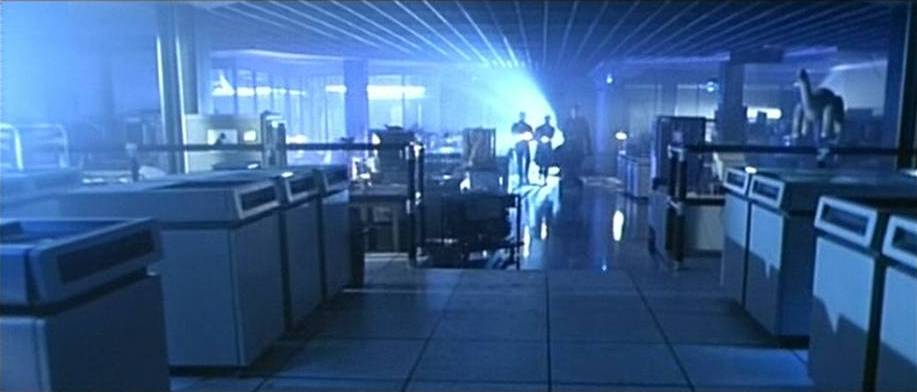
Remember the lab scene in Terminator 2?...


A lot like that!... Staff in the room, or entering, need to use a breathing apparatus, which we'd all been trained on.

This guy was short of breath because he'd been in the halon room.

He says that when he arrived (at 7am) the room was in close down, the building fire alarm was going and a fire engine was already present... The security staff had let them in and they'd used breathing kit to enter the server room, to find....  And this was the best he could describe:

"A smouldering brown mess of plastic encasing the top of the Proliant server, stuck in all the front vents and solid into the quick release drive catches, all the network wires above are only copper and the battery pack is black"

I dive in a company car and drive up there, I arrive as the fire brigade are happy it's electrically isolated, that the halon is clear, we've got a guy from the fire suppression system coming to strut his stuff, but in the mean time the company is offline.

So, I set up a 10Mbit ethernet cable from the main input multiplexer, set up a backup system on an AST dual core machine (literally, it was a PC with two 486 CPU sockets) and 16mb of ram... power!

This was to be the tide over machine, we cycled the nightly backup onto that and at around noon, people were working, if extremely slowly.  That machine was our stop gap for the next 48 hours.

So, now to the server room, initially the most obvious problem (because the rack had a glass door closed) was the ceiling and floor... The ceiling tiles were seemingly not flame proof... DOH.... They'd melted at least and there were droplets of melted whatever they were all over the place, blown around by the AC.

The AC itself had valiantly kept fanning the flames, so it had black soot marks neatly blown all down the wall.

And the floor directly around the cabinet base was charred, they were fibre carpet tiles on concrete, but had smouldered...

Our fire plan had fired, and the halon tanks were empty, both had fired, despite perhaps this only needing one... The vent out had worked and we'd used up one of our internal breathing kits, so two spares, one inside one outside.

The room is also electrically dead, nothing is on inside.  We had redundant feeds in from sites, one inside the server room and the one outside down the corridor which the AST machine was now connected to.

We're using torches, so I opened the front door of the server rack, and it's just black, the glass is coated in black, the once cream coloured Compaqs are black, the silver rack arms are black, going up the patch panel above is black but you can see the wires look a lot thinner, reaching up they're charred, the plastic has sloughed off of them and later when I have a step ladder I see it's mostly pooled onto the top of the first computer, but it's also seeped into and set within the vents on top and spilled over into the front of the machine.

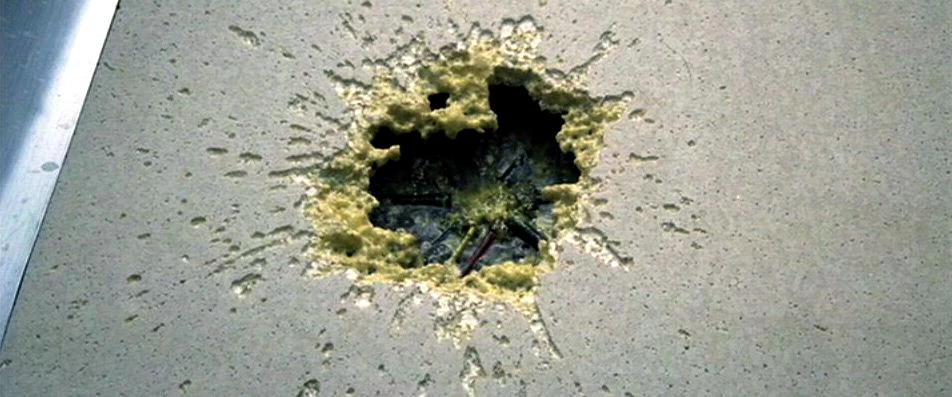
Above this is the crispy remains of the UPS, there is a hole about 2 by 3 inches around 8 inches from the left of the case bottom, and I can see into the UPS... It's a charred vision of hell.

We take this UPS out of the rack, as it is the ONLY thing in there that had been put in by the local chap, the ONLY things not on the service list, the ONLY thing I had had an issue with.... And we pop the lid, one battery had gone, catastrophically, it had melted acid out, the batteries lay on their side and so the corrosive acid had eaten the rubber off the outside of the wires inside, shorted and an electrical fire had ensued.

The battery acid had then, xenomorph style, eaten out of the bottom of the case and dripped onto the ethernet patch cables, they'd shorted, got hot, dripped more, the acid had also cut through the plastic on the power cables, more electrical shorts... And the gates of hell had opened swallowing the nice working machine.


The clean up was epic, we lifted the servers out to the cleaner area of the IT room, we cleaned the outside and had a pair of Compaq chaps come and clean them... I think they were called Mark and Jeff, and they did an excellent job.

I ordered new cable and thousands of RJ45 connectors and a crimper, setting about rewiring the room, in a better manner.

And I set the guy in charge of the site, Mr "It'll do" to taking out all the racking, jet washing it, putting it back in, redoing the power lines with a guy from the engineering department and I also had him remove all the carpet and the ceiling tiles, and find a supplier for a proper fireproof ceiling.

I also checked with the fire extinguisher guy, and he reckons that we were lucky the room was an hour outside of working hours, because the roof was just ceiling tiles and should never had been fitted with this strange fire system... Despite his being from the same company!... Basically most all the halon had exited via the ceiling tiles!

Two twenty hour days after all this I had one clean Compaq server, one clean rack and enough ethernet connections to put one patch panel and the server back online, this let our users stop moaning about how slow things were.

The other Compaq, the one closest the mess, was going off to be re-cased, the damage was so bad, but the unit itself worked.

We also now had a new fire safe, as the original had proven to not be smoke proof!

And I had a new certification on the walls being fire proof.

It took three months to recover from this, my end report to the owners, was that it'd cost about £8,500.  Not a bad deal considering the whole rebuild of the whole room would have been £40K+

I'd instigated better carpet, better ceiling, better procedure, and I had the brand new branded, supported, service contracted UPS in the bottom of the rack.

The final wash down, was the UPS which had failed, was known to be bad, three weeks before it'd gone up, the site manager had had it out and replaced two of the four battery cells within with a pair he'd bought cheap, he'd done this himself, I was not even aware, and he'd had the bottle to charge the company twice for the batteries, pocketing the difference.

Embezzlement, bad attitude, bad procedures and simply his considering me below him, resulted in his dismissal soon after.

He was the first person I enjoyed firing, he was the first person I'd actually had to actively fire from a role for incompetence, and he was the last person I let dictate to me where kit in a rack sat.

All for the placement of a UPS in a rack...


(Paul, Andy, Max if you recognise this story, you know you were a big part of that clear up, but you were in London, Leicester and Morocco... I was up to my arm pits in that mess!)

Saturday, 3 October 2015

Personal Update: Networking the House

About six months ago, I told you all I'd bought some really nice shielded cat 5 cable, and I planned to install this between the router in the living room and the office, well today I've finally taken that leap, drilling through victorian ceiling and soot, missing twentieth century power lines and an awkwardly placed floor joist....

My ping which was round 83ms TTL is now 7ms, I have my full download speed from my supplier, and indeed I am.  But it was a bloody messy process.

I have sacrificed a few ethernet plugs to the gods getting the wire down and through, the first wire I pushed through just disappeared, I think along the back of the victorian cornice in the living room; one day I may find it.

My eventual trick was to use a 20mm polymer pipe to encase the wire, and also to guide it down the wall in the lower room, this resulted in the wire being out of sight (least colourwise) against the light coloured walls.