Showing posts with label PC. Show all posts

Tuesday, 28 February 2023

Will I ever Buy a Laptop Again?

Will I ever buy a laptop again?  This is a significant question, PC's themselves are going the way of becoming locked down, indeed UEFI was the first step on that road, requiring secure keys and other literal dongles is becoming quite common for the home PC Builder; or even small assembly shops.

Laptops are an even more confused space, building your own is sadly incredibly rare, but even rarer is being able to buy a laptop and it being upgradable.

Now, I accept laptops have soldered on components, they are an all in one solution for most vendors.  So it was four years ago when I specced up and bought my current laptop I had three requirements from it:

1. Upgradable Memory

2. Upgradable Drives/Storage

3. Changeable Battery

At that time I settled on the Lenovo E480, with an 8th Generation Intel Core i5 inside.

For point 1 I was able to buy it with 4GB of RAM (a single stick of DDR4) installed, saving me over £110 on buying an upgrade to 8GB direct.  I simply received it, opened it and installed a 16GB kit (pair of 8GB sticks) for £83; so I saved and had more memory.

For point 2, I was again able to get deliver with a single 500gb mechanical hard drive, and for merely £65 I was able to get a really nice M.2 nVME SSD and install that the moment it arrived.  I am still able to replace the standard 2.5" SSD SATA drive if I want.  And I was also able to install a 1TB MicroSD card for more cold storage of large files when on the move and disconnected from my file server.

For point 3, being a Lenovo is a huge boon, there are a lot of resellers of their components and the battery is no exception, plus it's a battery just installed with a sticky pad and a single 4 pin connector, very simple to open the chassis and swap it out.  After four years mine is due a change, it has gone from around 9 hours on a full charge to only 4.

The machine is simple to work on, it's got lots of external ports, it can drive all the devices I want, the wfi, bluetooth and just quality of the Lenovo build is very nice.

So, what could possibly replace it?

I am coming up blank, I've been looking and looking, I do not want to support Apple, as much as I like the look of their hardware the total lack of any repair or upgrade paths in the M1/M2 space annoys me, their GPU is custom too, and I want to be working in open source wherever possible (read Linux).

Asus are similarly offering lots of options but so very many of them are locked down, there are RAM upgrades for some, but that's about all.  And crucially battery replacement is sketchy, it's hard to even find out what battery a unit offering has.

Very similar results in my search with Toshiba, Acer, Dell (including Alienware) and a custom builder here in the UK.

I did look briefly at modular options, such as the ones touted recently by Linus Sebastian, but getting them here in the UK is a massive pain in the rear.

So simply put will I ever buy a laptop again?  I don't know.

If I can find something meeting my three previous requirements and include adding an external GPU via USB-C to it, that maybe a selling point, but I'm really not willing to give up on the first three requirements I had.  They are the very definition of a laptop to me, you live with a locked down CPU and GPU, but at least you can expand the utility of the unit in other ways.  Except, vendors want to ship thinner, sealed, easy [for them] to support units with a limited [est 2 year] shelf life; after which you are cast to the winds.

As I understand it my Lenovo now being 4 years old, an 8th Gen Intel, makes it positively geriatric.


Want to read more about my quest for a laptop in 2018, why not read this one http://megalomaniacbore.blogspot.com/2018/12/deep-thought-about-new-laptop.html

Or even my laptop purchase from 2012, http://megalomaniacbore.blogspot.com/2012/01/custom-laptop-for-virtual-deeds.html

Wednesday, 10 February 2021

My Desktop PC History

My PC history and I literally mean PC's, so we're talking after my Atari ST, this is a list of the machines I've owned and used in order and a little bit about what I did with them.

486-SX-25 (1994)

The first PC I used was built by a company based in Baseford in Nottingham, it was at college and was equipped with an Intel 80486SX, it ran at 25Mhz, ran DOS 6.2 and a netware network layer.  It had 4MB of ram and basically was very much locked down, that was until we figured out how to quit out of the netware login screen (repeatedly CTRL+C whilst hitting enter fast).  The college had loads of these machines of this specification, the three main IT labs of course but then there were two more directly outside one of the lab doors, another in the head of Chemistry's office and a bunch in the library.

I primarily programmed in Turbo Pascal on these machines, I remember playing about with writing my first games on this in EGA graphics mode.

486-SX2-50 (1994)

My first home PC, it was from Watford Electronics and had their own ISA riser connecting to a dual speed CD-ROM, I remember Encarta amazed me, as well as working out how to just play CD's whilst programming.  I of course did my college work on the machine, and I remember my brother did his too.

The machine came with 4MB of RAM and a 200MB hard drive... MEGABYTE... I remember windows 3.1 ate into the disk significantly.

But DOOM came into view, now at the time I had no idea really what SX meant, but it had effects on DOOM's speed.  One of them was the maths.

I actually programmed around the limitations of t he SX chip without realising it and this came back to save me (or curse me) later.

Later we got Dark Forces and another 4MB of RAM, giving us a total of 8MB in this machine as I went to Uni.

But basically the SX had no floating point unit, it had only integer mathematics as well as a bunch of other operations being missing.  It was basically a DX chip which had failed QA and had come part of it disabled, but this was a "2" which meant it ran twice as fast as the machines at college.  And that speed difference was reflected in my little home brew games suddenly running twice as fast.

This remained my main and only PC going to Uni, but in my second year of Uni, sharing this machine with my A-Level studying brother I needed my own and these "Pentium" machines had been released.

Pentium-100 (1996)

The power of the penium, with the EDO ram SIMM's was so massive compared to the 486, and this was the first machine I started to program in C on.  Indeed, it was also the first machine I wrote Java on and even played with Linux.  But I never loved this machine.

Running at 100Mhz, it was blisteringly fast to me, but I was still using DOS 6.22 and Windows 3.1 for the most part.

I should have, it was the first machine I bought with my own hard earned money, I did keep it until my final year at uni, but by then I had started to build my own machines.... But I'd also been to work in IT.

HP Pentium-166 (1998)

This was a machine at work, it was mainly a windows 95 platform for me to work with, I soon had Windows 95 at home too, so things balanced up.  All I used this for was some very basic database work, which the prior incumbent in my job had left (and which was awful).

Compaq Pentium-II 233 (1998)

Another work machine and at 200Mhz, it seemed like the things of legend, but this was a compaq deskpro to which all the analysts and myself upgraded, with  massive 17" CRT monitors, they were really nice machines.

I did a bunch of Pascal programming on it, a bunch of Cobol and some database work (I think it was in FoxPro).

Pentium-III 300 (1999)

Returning to Uni for my final year I built this machine myself, I remember this was a slot-1 processor, and I put a whopping 32MB of RAM into it.  I wrote my dissertation on it and networked it to my older Pentium 100.

Voodoo3-2000 AGP.... Which I only sold in 2013 on ebay, at a profit.

Cyrix-150 (1999)

This was actually my pentium 100, but I found the Cyrix chip for sale for only £10 at maplins so bought it and stuck it in the old PC, to find it was a massive performance improvement when compiling and running both C and Java.

Celeron-III 450 (1999)

This was a machine I actually built for a customer, I spent a bit of time making PC's and making money doing so in the late 90's.  And this was one which stuck out to me because it was such a nice performing machine, it included a graphics card (I think it was a Voodoo3-3000).

The build was with a gigabyte motherboard using slot-1, but the processor was socket 370, buying it and using a daughter board was cheaper than buying a socket 370 motherboard, and performed no differently.  It actually made adding the cooler so much easier.

Pentium III 500 (2000)

I bought this after uni, just a new chip, with 128MB of RAM as I set off away from uni.  I just played a lot of games on this machine, dabbled with Java, but I didn't have the compiler suite we used at work to my programming was mostly all in the office.

Pentium III 500 (2001)

This was the office machine I had at the time, I'd had one before, but don't recall it, this one however was by the local computer firm in Redditch and I remember it was a 500mhz Pentium III.

GeForce... At some point at home in 2001/2 I got the first GeForce card at home and started to babble with OpenGL on Linux.

Pentium III 1ghz (2003)

Another office machine, this was a bod standard HP I think, the job here was C++ programming, but coming from a pure Borland using history (all the way from college to now) I was suddenly not in a Borland using shop and... well... I didn't stay at this job very long.

Pentium IV - 1.5ghz (2004)

A prescott Pentium 4... at the high speed of 1.5ghz, this was my first hyper threaded machine, it was built from the ground up for gaming... so it had 1.5GB of RAM (the most I could afford)... the dual thread pentium 4, overclocked to 2ghz on air.

A pair of GeForce 8800GTX in SLi.

I bought it to run Battlefield 1942 really well, and was really very good.  I also played national league Day of Defeat and started my dual obsessions with World of Warcraft and Eve-Online on this machine.

Core 2 Duo 3ghz - Wolfdale - 2.3ghz

I built this machine for my father, he didn't appreciate it at the time.

Core 2 Quad Q6600 - 3ghz (2007)

This was my main driver for years, and the machine I first put into the Cosmos 1000 case.  It had various RAM, disk, graphics configurations until the last iteration being a GeForce 260 GTX (squared) so this was two GeForce 260's on the same card in SLi together.... It was really good.

I spent time coding for Lordz Game Studio on this machine, as well as playing lots and lots of games.

Core i7-920 (2012)

Yeah, we're at Core i7.... the best I could accord for the i7 release set and it went into the same case as the Q6600 was in.  This machine was a main-stay until I actually swapped out the Core I7 (4 cores 8 threads) for a Xeon which was 6 cores and 12 threads... I did that in like 2016... so I've had 12 threads at home for a long old time.

Ryzen 5 3600X (2018) -> Ryzen 9 3900X

Team Red.... Aside from the cyrix I've always, always been Intel... Ryzen turned my head, and the 6c12t 2600 was the first I could get my hands on.  But the motherboard was purchased with upgrades in mind and the same machine now has a Ryzen 9 3900X 12c24t.

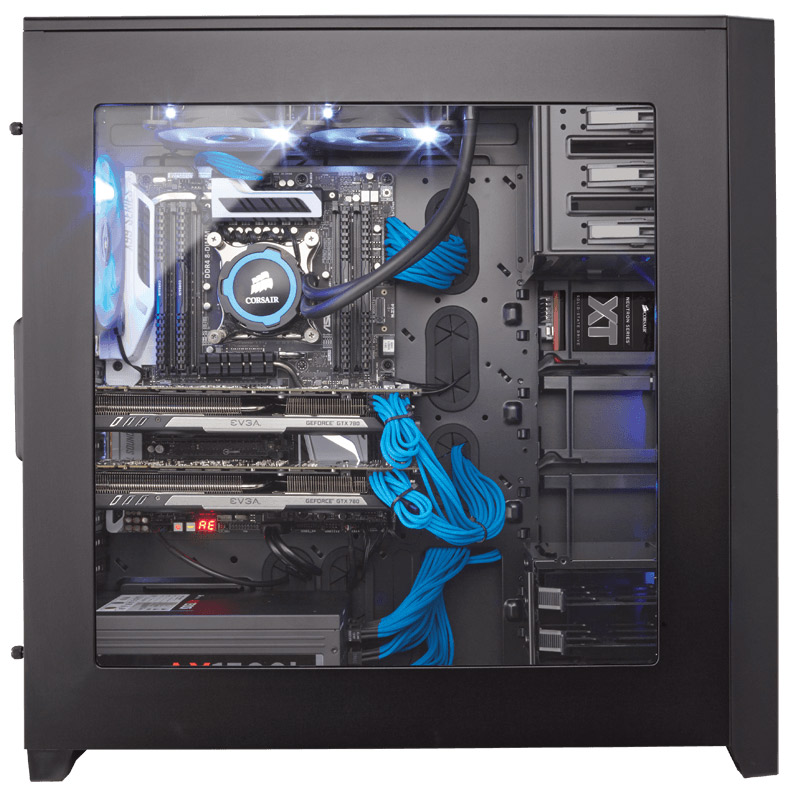
It was a mchine built around the 64GB of RAM, dual m2 NVMe and a stack of 4TB disks, all in a corsair obsidian case.

Friday, 3 July 2020

The Wall Mounted Server

Something is wrong, it turns off randomly.... And I suspect the PSU, new one has been ordered... the cheapest one on Amazon, this may or may not be a good thing.... Lets see.

Thursday, 28 November 2019

From intel to AMD...

Well, that just happened... I bought a Ryzen CPU...

That may not seem a huge revelation, but let me be clear in my PC's I have always (well nearly always) had Intel CPU's.  But the current 3rd generation of Ryzen has Intel on the ropes and I have to get moving with my new PC build.

And I've gone in what may seem a strange direction.

Initially I thought about third gen Threadripper, but I really can not justify the expense, most of my work is done on servers and though I could bring it all onto my workstation for compiles (like LLVM) but really its a convenience and not worthhy of nearly £2500 (after a processor and motherboard).

So what did you do Xel?... WHAT DID YOU DO?

Well, I've gone with an AM4 socket motherboard, a very good AM4 socket motherboard, and I've gone with a 3rd Gen Ryzen Zen 2 architecture processor, but perhaps not the one you'd expect.

You may expect me to have gone with the Ryzen 9 3950X, and you'd be right sometime next year, when they're properly out and in stock and prices have homogenised some.  But today, pre-Christmas, they're like rocking horse shite and costly.

The processor I've gone with then is the Ryzen 5 3600X...

Yes, it's Zen 2, yes it's AM4... Yes it's only 6 cores and 12 threads like my current workstation machine.  But it was only £200.  It comes with the stock cooler, so I cam practice with that before delving into fitting the AIO.

I've gone with an Asus ROG top tier motherboard for this class of processor, and I plan to let it go up to the 3950X with it's 16 cores and 32 threads sometime next year.

Memory, I've gone with two sets of 2 x 16GB Corsair Dominator RGB.  For a total of 64GB of RAM, which is a massive upgrade and maxes out the motherboard.

For that's the big thing I'm giving up, if I had gone with the threadripper3, then I'd have automatically had access to double the RAM slots (8 to be precise) and 128GB of RAM is common as a maximum on the X399... But here on the X370's it's usually 64GB (though some are 128GB).

The motherboard, RAM and processor all come from Amazon, for (to me) the princely sum of £700.  So the whole new machine, with the PSU, AIO, Case and storage I already have has topped me out at £1,100.

Expect build videos and tech tinkering footage soon.

Tuesday, 12 November 2019

Second piece of kit....The PC Case

And so the purchases start to roll in, tonight I've ordered a new case and I've gone with the Corsair Obsidian 750D Airflow.


I plan to swap out the vanilla fans at the front for RGB ones and the cooling solution is likely to be a waterblock to rad with RGB too... ditto RGB on the memory.. so a little bling.

But, tonight the case, it's the all black version... it is "Obsidian" after all, with a window on the right side, so I will be able to see it all to my right as I sit at my desk.

I'm planning to make the current machine my main office server/file server, but that'll be when I move onto an all Linux base.  Yes, I'm going to retired Window as my main boot environment and go with Ubuntu.  And I'll run VGA passthrough on KVM to a Windows machine if I need to play games or run VS.

Everything else will go onto my file server, and in that direction, I've also ordered two more 4TB Drives.  I'm only getting WD Blue, I've had great personal success with WD Blues, only having one failure in about 15 years (mucho lower than Samsung, Sandisk, Hitachi and Toshiba).  And then I got excellent customer support.

So, 8TB more storage... I've also gone with a 500GB SSD, again a WD Blue.  Because I have a 500G NVME M.2 SSD I can pull out of my current machine for the main boot.

I'm sticking with my EVGA 1080 GTX SC graphics card, and I'll put the older 770GTX SC into the file server - or maybe something less power hungry.

Either way, at the moment the new machine will go into this new case and the old machine will remain in the now very aged but trusty Coolmaster Cosmos 1000, except I will eventually recase even that in a matching Obsidian, maybe one without the airflow front and I'll keep the Cosmos as a spare (you never know).


But, all this is on order... The only part to yet arrive is the power supply.

I've had some Molex to SATA death cables arrive too, but they're for a server project which I've been trying to film for you guys for a few days.

This isn't to be confused with my current under desk server, which you can see me working on the case here:


I've also started to record snippets of my review of the 6 core 12 thread laptop I've been using for the last 6 months, so I hope to start editing that together.

I will also, hopefully, this weekend be able to start showing you why there has been a large chunk of time missed in my posts... What have I been busy doing?... 

Wednesday, 6 November 2019

Personal PC Kit Stock Take - And First new PC Part Purchase

It begins.... A new PC build.

Yes, its that time, I simply need more power in my workstation on my desk.  I've been farming more and more work off to servers throughout the house, and I did a stock take... of all my kit... I've not done this since the house move, and indeed I documented the last stock take on these pages.

Workstation
Xeon X5670 (6 core, 12 thread) - 32GB RAM - Used all the time

Single Socket Servers
Xeon L5640 (6 core, 12 thread)- 8GB RAM - DistCC slave, Git Host & Fire Host - Used Rarely
Core 2 Duo E6750 (2 core, 2 thread) - 4GB RAM - General always on server (VPN Machine for Chaplain)


Dual Socket Servers
Xeon E5240 (2 core x 2) - 16GB RAM - Dist CC slave, Squid Host, Proxmox Host - Used Rarely
Xeon E5250 (2 core x 2) - 16GB RAM - Dist CC slave, Wow Classic Staging server - Used Rarely
Xeon E5430 (4 core x 2) - 32GB RAM - Dist CC, Dell BMC Test bed, ZFS mirror, Docker container host - Always On
Xeon E5430 (4 core x 2) - 32GB RAM - Xen Server Host.
Xeon E5340 (4 core x 1) - No RAM - Spares for other Dell Boxes
Xeon E5-2620 (6 core, 12 thread x 2) - 128GB RAM - DistCC build coordinator, main server - always on


It has to be said, nearly none of the server have been used regularly as I've just been so so busy.

Laptops
HP Omen (6 core, 12 thread) - 8GB RAM - Used Rarely
PC Specialist (4 core, 8 thread) - 8GB RAM - The Wifes machine, used as a network drive mirror
Lenovo ThinkPad E480 (4 core, 8 thread) - 16GB RAM - Main Laptop


What I decided is, a lot of this server infrastructure has got to go, and to do that the tasks they do - even in frequently have to be picked up by something, and I decided that as I usually spend my time in my new dedicated office I may as well have as much of that working here in the room with me.

The immediate points were to take all the work of the two main machines, the E5-2620 dual socket server (so 24 threads) and my workstation (12 threads), that's 36 threads of work to contend with doling out.

But, I immediately thought about keeping costs low.  The E5 class of Xeons have come down in price and have 10 cores and 20 threads, two of those maybe the way I decide to go... Forearmed with 40 threads, it's a case of getting a dual socket motherboard for my workstation, and since I game on the machine too, perhaps the slower L versions of that class wouldn't cut it... But research will be had.

128GB of RAM or more, seeing as these processors are last-gen that means DDR3 and specifically server EEC DDR3, which is fairly cheap.  And of course I have a whole bunch already in the house.  Unfortunately I have 128GB in 4GB sticks, but it's enough to get me up and testing x79 motherboards from aliexpress.

With the stock of parts I have on hand, it's therefore a the task of recasing things, making them quiet and having them bearably in the office with me.... I've been enamoured with the Corsair Obsidian range of cases for a while... But even before the case, power... 

My E5 based server is a Supermicro, but the motherboard within is actually just an EATX board, so with a spare PSU I could power it up in a new case maybe... And that's where I've decided to start... My first purchase therefore has been a new PSU.


This is platinum rated, that's highly highly efficient, it's all Japanese capacitors, it's workstation class and completely modular.

And you know what, it's only the third power supply I own, you may recall the Xmas Eve rush for a PC from a mate of mine, well I'm pretty sure that the problems there were the PSU in that machine... And I had no spare to offer, felt quite bad about that.  But now I will have spare, because my workstation will be shuffled down one notch into other devices.

The last focus I had on cases was cheapness...


The next one will be style & function.

Friday, 13 September 2019

PC Overclock and Boot Issues

I've had a bit of a rough ride the last few days, my main workstation PC has been playing me up chronic.  The first signs of problems were a failure to post, then I had a VGA missing error in quick succession.  Power cycling at the wall I got a post but the drive order has been lost.

My immediate thought was perhaps the graphics card had worked loose, I ensured it was seated and rebooted, all seemed fine.

However, getting into windows I immediately felt a sort of sluggish feeling, taking a look around I quickly saw the problem I'd lost my overclock...

To remind you the machine is sporting a Xeon X5670 overclocked to 4.0ghz, but it was running at a stock 2.53ghz, and I could really really tell.

So, back to the BIOS and I suspected I'd lost the overclock and the drive settings because of a flaky motherboard manual.

Swapping the battery out and reapplying the overclock and everything seems fine, I've even reset which drive to boot from as I'm not booting from an M.2 PCIe NVME.


But it has been a trying time, and it's really set me back... Watch this space for a 6 core, 12 thread potential replacement...

Thursday, 19 April 2018

My Ultimate Upgrade

Its that time, I have been maxing out my machine repeatedly, I had two options upgrade or build new.

Money determined that an upgrade is all I can afford, between the server rebuild earlier in the year, building myself a new rack-mount table and just generally being skint my budget was low, super low, like £200.

Lets go over what the machine is....

I'm running an Intel Core i7 950 3.0ghz.  This is a four core (eight thread) chip, it cost the earth when I bought it as an early adopter of the newly released Core i7 series.  My upgrade comes in the form of an Intel Xeon X5670, clocked slightly slower I do plan to overclock the chip, but it lifts me to 6 cores (12 threads).  There's also a whopping increase in L3 cache, I see this as the last and only upgrade path for this machine.

The motherboard hosting this is a very trusty Asus P6X58-e, I've loved every minute of this board, and hope that applying the overclock will be as easy as everything else working with it.

As I am overclocking however, it's going to be a full tear down of the machine, a full clean, replacing the heatsink pads & compounds throughout and cleaning it all up.  This will be the first time I'll have taken the motherboard out of it's residential case since I built the machine.

For RAM I've been very happily running 6 x 2GB Corsair XMS3 DDR3 at 1333mhz, actually underclocking the memory as it's 1600mhz rated, but running it any faster than 1333mhz I ran into heat issues and instability.

With the rebuild however, I've bought second hand sticks of the Corsair XMS3 DDR3 but 4GB sticks, since I want to retain triple channel functionality I want six matching rated sticks, however, the number of sellers with matching sets is hard to find, there's lots of XMS3 about, but you get a speed spectrum from 1600mhz to 2000mhz stick, I've gotten some listed as different versions too, so I'm hoping everything will be okay and I can homogenise the sticks I have.

The power supply remains the Corsair I have had a while, but I am going to try and clean it out.

Brian over at TechYesCity on YouTube, often recommends using WD40 to coat parts and keep them working longer, I may have to check this on my secondary Core 2 Duo machine to see if it works before going for it on this my main machine.

The final upgrade is to sort out and replace the filters with something high micron rated, HEPA filter pads across the bottom.


Thursday, 8 March 2018

Sex, Secret or God... Passwords

In the 1990's it was common to have to tell folks not to use "popular" password, like "sex", or "god", believe it or not even "password" and "secret".  Since then times have moved on, folks have become very adept at using other characters in their passwords...

Unfortunately, this is (very seriously) what one of our IT bods here has just found on a machine:


Props to the user for mixing in some numbers, a word and a symbol, however... We can all see the flaw in their storing the password.


(Thanks to our IT Manager for letting me use his picture - it is a lovely left hand, I wonder if he does hand modelling?)

Saturday, 24 February 2018

WD Disk DOE & Dust....

I recently ordered a new WD Blue disk, it duly arrived and had the strangest problem I've seen in many a long year, no matter what I did the disk showed as 64MB total and it lost all data upon power cycling.

I puzzled over this briefly, until I pulled the disk back out the caddy and saw it had exactly 64MB of cache, yes, no platter space was being shown, just the cache showing up as disk space.  I have never ever seen this before, cache has always been a transparent intermediary for me in production and so to suddenly have the cache being the only exposed space was odd.

However, dead on arrival hard disk, a quick RMA and a new one winged its way into my hands, they actually gave me a slight upgrade as I got a WD Black by return of post.

Tonight I planned an hour to fit the new disk and add it to my workstation.... This machine has no cable management, and its a nightmare to add drives, there are six built in 3.5" bays but they have a set latch and screw mechanism, which forces you to fit the drives to that the power connectors are actually straining the distant power plugs. (I do plan to buy a pair of SATA power extenders on pay day).

What struck me as a massive problem however, is the amount of dust inside there.  Clearly, since fitting the 1080 GTX I've had something change or fail or open as there are copious amounts of dust in there.

Now my work area is not optimum for a workstation, I have a full tower case, so it has to go under the desk and the floor is carpeted.  Now this had been mitigated by the Coolmaster Cosmos 1000 case having lifting rails, taking the whole thing 1.25" off of the floor level, and two ground level filters, as well as a rear and front filter set.

But clearly things have not gone well, as just dust dust dust.

My original plan for the start of the year was to re-case the server, then re-case this PC as a server as well, retire one of the aging DELL 2950's for this machine itself, and put myself a new workstation together for my 40th.

Trouble is?... I'm skint, like proper skint, so I can't afford the workstation I was planning on...

And now I need to sort out this machine... I smell another re-casing task a head... Hmm, which case?  I'm thinking about the Corsair Obsidian range... Anyone have any other suggestions for a full height tower?... 1 x 5.25" at least 6 x 3.5" internal mount points and at least 2 x 2.5" mount points internally.  Front Panel USB would be a boon.

Dust seems to be my enemy.

Saturday, 3 February 2018

Home Server - New Case (Coolmaster N300)

The new home server build starts with the case, I've elected to go with my wallet, and this means the cheapests ATX case with the mode drive bays...

The Coolmaster N300 comes in at just over £38 and sports an impressive 8 internal 3.5" drives.


Monday, 4 December 2017

Great Rack Mount Mistakes #5

It has been a while since I've brought to you the tales of woe from my past... But this one isn't a tale of woe for myself, it was some other poor bugger who had to suffer, though I was involved.

After my first in-depth IT related job, I got into looking after some big systems, and I mean so Big they could have starred Tom Hanks... The last one of which ended, officially in early 2001, this was my looking after an IBM AS400 machine.

It had several terminals hooked into it, many suited analysts (as the non-programmers were called) regally sipped coffee and generated reports from it, there were also several ASCII Serial wireless hand-held terminals for roaming about the site with, all pretty cool.  I however was not involved in any of this, my job was to look after the PC's on the site and keep the AS400 fed with back-up tapes.

One of the PC's however took me within a solar breath of the chorona of glory that was working with the BIG IRON, and this was a little IBM PC, running OS/2 which was used actually boot the AS400, the mechanism escapes me, the details I've long forgotten, I remember it using OS/2, a terminal and a fancy script.

As I said this role ended for me in 2001, and I whisked my way off to work for a little software shop in Alcester, Warwickshhire (where I know I was a lazy pain in the arse - sorry about that lads - I grew up later, honest!).  Anyway, 23rd December 2001, I had a call at my parents home, a chap asking for me by name.  They handed out my personal mobile (Rocking the Nokia 3310 on Genie Mobile).

Well, this guy didn't let up, Christmas Eve, I'm mid-way through watching the Muppet Christmas Carol for the fifth time that day, and I finally look at the phone, and the seventeen texts to call the head-office of my prior employer.

Which I do, and awake a security guard whom had less hold of English than my dog, and the dog's Greek...

After a mixed conversation, I got through to a chap who was clearly in a server room, you could hear the noise behind him, I love that noise.

As he's talking to me however, the noise disappeared, dead silent...

"Did you just leave the server room?"

His reply.. "No, it just shuts off, it never completes its boot".

He was talking about the AS400, of which I knew nothing, they had very expensive IBM support for it on the way, but they were very worried, and wanted me to take a look, as everything had to be up for the Boxing Day sales - this was my time not in a manufacturing world, but in a retail world - the pressure was real, the target was live.

On the offer of a very nice cash sum, I jumped in my 206 and drove down to the offices, waved through security I signed in, and took a look around my old stomping ground, things had changed since I was last there, the partitioning wall to the server room had been removed, where the analysts sat was now occupied by a modern style series of server rack positions, they were in the process of moving everything to a set of Dell Power Edge 2U servers, with A/C, a hot isle and a cold, some decent kit.

Turning around there was the great big AS400, jet black, with a rectangular base rounded at one end.  And the machine perched on this raised platform.


This was the machine which would not booting... The problem?

Well, that paritioning wall, which had been removed... "How did you remove this wall?"

"Oh" he said "we had them put plastic sheets double lined from the ceiling to floor, took down the stud walling, and clean up, we never had to turn the AS400 off"

"Fabulous" I noted his pride "so the silver racks which were here, the shelving with parts and the little PC sat about here"  I intimated the corner just below waist height.

"All that was removed, with the wall, just old junk parts and pieces"

"Okay" I look around "So where did you remove it all to?"

"A skip" he shrugged "About three months ago"


"Aha" I nodded "I know your problem, the AS400 is coming up into advisory mode and awaiting the start signals from the script host, I'm going to guess you don't run AS400 elsewhere, you're winding down to the new servers?"


"Yeah" he was quite flustered "I know nothing about this hunk of junk, I just need it to work"

"Then you need to find a PC running OS/2 before morning, and restore from one of the back-ups I used to take onto tape, if you can"

He went whiter than my best linen on wash day... "OS2 PC?  Why?"

"Because the machine which sat here, was the boot master for the main shell into the Analysts layer, it sat here" indicating the wall again "whoever unplugged and threw it in a skip should really have looked a the holistic picture, it was a very important little machine, which is why we had two of them and spare parts on those shelves, and why it also got backed up to tape when it was installed or updates performed on it"

Silence filled the gap.

"I'll take that cash and get back to my Christmas pudding".


Tuesday, 21 June 2016

Project - Socket 775 to Socket 771 Xeon - Update

As an update to my original post, I got another socket 775 motherboard and took a video of how to cut the tabs off the socket, making it able to accept a socket 771 Xeon, but doing so with the original chip in place, to protect the socket pins.

Check it out here:


Monday, 4 April 2016

Junk PC - Celeron to Core 2 Quad

You may guess I've taken what was basically a junk PC from the in-laws and turned it into a fairly decent machine, what could it do?... Well it was reported to be showing "video like an old slide-show", "internet pages took so long to load we could boil the kettle" and a myriad other little things.

To hear those kind of reports from regular users of 70+ years of age, rang alarm bells, something needed to be fixed.

The machine was:

Intel Celeron 450 @ 2.2ghz
1GB DDR2 400Mhz RAM
Intel HD 3000 Graphics (on board)
320GB western digital carvier blue HDD

I've raided ebay, Amazon and my own spares, and the machine is now, re-cased, with new air-flow/cooling, and it's significantly improved:

Intel Core 2 Quad Q6600 @ 2.4ghz
4GB DDR2 800Mhz RAM
Asus GeForce 610 GT (1GB DDR3)
120GB Scandisk Performance SSD

With a nice new box, the thermal paste, a cleaning air-can and all the bits I needed the upgrade cost just shy of £60.

And the new incarnation of the machine runs:

World of Warships - High Settings - 50FPS
World of Tanks - High Settings - 50-60FPS
Minecraft - Fullscreen - 100+FPS
Arma 3 - Medium Settings - 25FPS
Arma 2 - High Settings - 60FPS
H1Z1 - Medium Settings - 50FPS

This is impressive performance from a bog standard Intel G33 Motherboard and a bunch of spare parts.

Certainly £60 was a very fair price for all this kit, and I can't help but thank the moron on ebay who sent me a mail abusing me for listing "such old shit at a high price"... because through whatever machinations I kept the kit, and here we are just a month on with is back in use and blowing through performance like no-ones business.


Tuesday, 1 December 2015

PC Upgrade - SSD

Main PC overhaul, it's been a long time coming, but I finally have an upgrade for my main PC.  It comes off of the back of Black Friday where I got 48% off of the list price, so got to indulge.

It's of course, a new SSD, I've bought a SanDisk, 6g/sec SATA, 2.5" unit.  Windows has been installed on it, Linux is not going on this directly, that'll go on another of my drives as a dial boot option.

For this SSD is for gaming.

WarThunder was 90% downloaded last night before I caught myself drifting off to sleep in my very chair, but other games have to follow, and I need to set up my Track IR (again) and my Sietek Hotas.

The driving force behind the upgrade has been oneof the drives (I carry 6 in the machine) has developed a clicky, sometimes whine, so I wanted to replace the main boot disk and then work out which was making this noise and retired it.

I only have to be very careful now in backing up all the data I want to store.

Vmware player at home will be my next task, I love vmware player, at work I've been supplied with VmWare workstation, and I use it so much to do different things with whole different systems, that at home I've also taken to being used to firing up Linux inside windows, or windows inside linux, it's just so much easier.

Anyway, main machine is literally up on blocks... Tonight, is sorting out the cabling and packing it all back together.

Wednesday, 17 December 2014

How to Get into PC Gaming (PC Build Advice)

You want to get into PC Gaming?... But you don't know where to start and think it'll cost you the earth?

Ner, lets get straight in here and say, you can spend as much or as little as you like, but you do not ever need to break the bank and certain parts of your built machine will be with you a long time.

What am I talking about?  Well, unlike your console which you buy off the shelf as a complete unit a PC is really a whole collection of different pieces, which over time you can upgrade and keep current.

In general I consider there to be four main sections to your PC:

1. Processor (CPU), Memory (RAM) and motherboard (main circuit board)
2. Graphics Processor(s) (GPU)
3. Case, Power & Cooling Accessories
4. Screen, speakers, controls (Mouse and Keyboard)

Different sections of these pieces are upgradable at different rates and for different price brackets.  Yes ultimately as a PC Gamer you have to buy a whole system.

But in the longer term you can save money by buying a system with some of these parts to last.

A good example is that you could buy a Dell PC straight from them, and pay slowly with their finance deals, however, I can tell you now you'll never be able to use that case again!  You can never rip the 5 year old guts out of a Dell and put the latest CPU/Motherboard/RAM package into that case.

So, this is where I'd start, buy a good case, which is large enough to handle any motherboard.  The key specification here is "ATX" this is the standard side.  Many Dell and other manufacturers cases are "BTX", and you can also get shrunk down "mini-ATX" and even "micro-ATX" cases.  But the standard size case is "ATX".

When considering the case you must also make sure there is room for drives to be added inside.  And space for cooling and power equipment.

My case (as seen here) was purchased in 2007, and has now had three different machines built within it's walls.   It's the same, unmodified, working case I bought for about £90.  Which means it's cost me about £13 a year to own that case, and it's still going strong, still has my main gaming PC within!

My power supply, the power supply sits inside the case, and again so long as it's a standard power supply it will power any machine, what you might want to ensure however is that you have a fairly decent amount of "watts", this is the unit of measure for the total output of your Power Supply Unit (PSU), and you're going to need about 250 watts for a basic desktop processing/internet machine, 350 watts for a simple media center, 450 watts for a basic gaming machine and 650 watts or more for a powerful gaming machine.

As you add more equipment into the machine, the more power draw it has, so the more regulated (safe) power the PSU has to handle and dish out to each component inside.

Fans, or cooling, if you're new to PC's then just understand when you come to PC Gaming the components inside the machine pump out a lot of heat, this has to be extracted from the machine, and fresh - colder - air has to be drawn in from your room.  To do this we mount fans in our case, either drawing in from the front and pushing out the back, or in from the bottom and pushing out the top.

Some components like your processor and your graphics card can arrive with fans equipped, but you still have to change the air inside the machine regularly with fans.  To keep them quiet you can go (as I explained in my article) with specialist build fans, or for simplicity just get the largest slowest revolving fans you can, the larger and slower a fan - drawing enough air - the quieter.  It's no good having too slow a fan however, you still need to get air through, just doing it gently makes for less noise (90% of people I meet complaining their PC is stuggling, slow or too noisy, either have tiny fans spinning at crazy high speed making lots of noise, or simply don't have any ventillation; other horror stories about how dirty a PC case can get can be found on the internet).

So, your case, the power supply and your fans can pretty much move from build to build to build as you progress, investing in them now makes for much cheaper new systems as you move up the scale.

Next your PC needs some storage, you need for gaming fast storage, so I'd recommend you get an SSD (or solid state drive) for your games to run from, and then a fast (7,200 RPM) hard drive for the main storage of data.  You can find much better guides to this than here, so for now get what you can afford, one decent 7,200 RPS SATA hard drive is sufficient!

This drive can then be used in any machine you put together later.

That's the end of the sort of "unchanging" part of your machine, obviously a keyboard, mouse, screen and speakers can also be lumped into that "unchanging" category, spend as much or as little as you can afford... There's obstensibly no difference between a £5 keyboard from Asda and a £90 mechanical from Cherry when you're starting out... One day you'll use a better keyboard than your own and want the other, but by them you'll know whether PC is the thing for you.

So, now onto the most malliable, and upgradable, part of your system... The Motherboard, CPU and memory.

You need to pick what you want from your gaming experience, and I'm going to talk about Intel processors, the current three classes of Intel processors are "i3", the "i5" and the "i7".  You can get these in many flavours, but you can change them later, if you have a budget, look for a CPU which fits your budget and note down the connector type (or socket type) for it, then look for the top processor with that same connector type.

This will give you a good idea of the upgrade path your machine will take as it ages, because yes, you can change the processor up from a cheaper one to a more expensive one, or even find the current most expensive one on discount/auction sites later on and upgrade your machine.

Lets say today we've found a Core i5 processor which has a clock speed of 3.0ghz, and we know it has a contemporary Core i7 with the same socket and a clock speed of 4.02ghz, this will be our upgrade path.

What we need now is to find a motherboard with that connector and which supports both chips.  This essentially is a fiddly google search, but do check with the supplier of your parts if you're unsure, and also ask for their confirmation that the motherboard you buy from them supports both chips - this way if it actually doesn't you can sort things out with them!

So, now armed with information about the Motherboard and processor together we need think just about two more things.

The first is the Memory for the machine, you need to buy memory which is compatible with the motherboard you purchase.  Luckily the manufacturers of mainboard come to our rescue, once you've got an idea of the board you want you can just go to their support website and download the manual, before you spend a penny.

Reading this will give you a list of the compatible, or even recommended, memory, you can then simply purchase this for use.

This is the "safest" thing to do, because lots of people will simply dive for the cheapest memory thinking it makes no difference, this will result in their having a poor time with stability; meaning their machine will crash a lot.

Memory gets hot, so you may want to consider a memory heat-sink (this is a metal fin which attaches to the memory to spread heat away from the electronic chips) though some memory already come with fins attached.  You can also get fans for your memory to cool it even more, the cooler the better.

Your CPU has to have a CPU too, both AMD and Intel CPUs (purchased in a proper box) come with a cooler sufficient for their standard use, when you're starting out this cooler will be more than enough.  However a high performance cooler could be yours for around £30 and last you a long time, the only complexity is again any cooler you buy has to fit the processor socket on your motherboard.

So, in review, you can buy a PC built off of the shelf, ready to go, however, you won't know what parts are inside it, nor if any of the parts can be upgraded as the system ages.

There are services you can use whom will build systems exactly to your specification, PC Specialist is one such offering.

Or of course, for a small fee, or gifts, I can help!

Any questions, post them below or e-mail me!

Tuesday, 26 August 2014

Minecraft Ordeal 4

For my Minecraft Ordeal of late there's so much to tell... I've been renovating my home base, expanding and linking places with rail, I've been in the nether and finally found netherwart so started to brew potions, I've also found a village and turned it into a fortified position and also caved...

I've caved so much that the skeleton spawner has more than quadrupled the number of skeletons it generates, but my caving duties are still not done through my hole base chunk.


I've done the base out in a combination of yellow and orange colours, notably a lot of sandstone, for which I like the texture I have loaded...


My rail links come into a new arena like area I've opened up off the side of the base


Where rail links slice at a set level I've kept them below ground and capped them with glass causeways


And of course this new rail infrastructure has been pushed down into my dep mines


I've kept the inside pond in the base, for night fishing... Though I'm yet to find any wolves or cats to tame...


My next projects will be a highrise rail link to the fortified village, villager breeding and then I have a stables to build with the many mules I've acquired.