Showing posts with label learning. Show all posts

Tuesday, 4 August 2020

Raw Graphics Engine : C++ Project

It has been a whilst since I had a personal improvement project grace these pages, so here's one I started over the weekend.... A graphics engine.

Sure this is something I play about with all day in the office, we're writing games!  That's literally my job, but I've been a system engineer for such a very long time, and I've seen all these sparkly things coming from folks working on game play and wanted some sparklies of my own.

I therefore began two projects, both are graphics engines, but they're very different from one another... one is in Vulkan, which is not what we're talking about here, no we're talking about the other one... And this is a graphics engine I've written myself.

It's gone through three phases since Saturday, Sunday and then just tonight.  The first phase was setting up the basic rendering, getting a triangle on the screen and making it flat (orthographic) projection.


The engine is written in C++, uses SDL2 for the window and renderer, but the engine itself does all the geometry transforms through linear matrix mathematics that I hand crafted, and it reaches into the third dimension in orthographic mode.


The shapes can be rotated, scaled, translated, the usual.  But before I drove myself mad with writing shapes by hand on graph paper, I wrote a very simple importer for the very simple Milkshape 3D model editor, and started with a sphere:


Milkshape has appeared on these pages before and is really the only modelling package I'm familiar with, I really do need to learn Blender don't I?

So with models loading I got a little adventurous:


This mesh really stresses my single core linear mathematics, so I started to switch it out in favour of GLM tonight:

// Model
glm::mat4 model(1.0f);
model = glm::translate(model, trans);
model = glm::rotate(model, glm::radians(angleZ), { 0, 0, 1 });
model = glm::rotate(model, glm::radians(angleY), { 0, 1, 0 });
model = glm::rotate(model, glm::radians(angleX), { 1, 0, 0 });
model = glm::scale(model, glm::vec3(scale.x, scale.y, scale.z));

So, that's been my three days.. I'm interested where and what I will do with this engine.


However, Vulkan, that's the other thing I'm learning.

Friday, 15 February 2019

Coding Standards - About Scopes (again)

Consistency is good, consistency is light, consistency is really what you need think about when creating code, no matter what format, language, platform or project you're on do things the same way, and even on your first pass do them your way consistently before you apply any locally demanded view of the code....

What do I mean by view?  Well, I'm talking about coding standards, but the non-functional side of things, hence the view.  You can look at code from any angle you choose, indeed there are multiple ways to achieve the same solution within code, the difficulty is to get things out there, put them down, then sort the wheat from the chaff.

I've done this in a couple of videos, where I move pieces of code from their own coding layout to my own, I have labelled these "coding standards", but in retrospect they've just the coding view.

One of my big points is the notation for the scope of variables, I love to use scoped notation.  Having been brought into programming when Hungarian notation was not only taught to you academically as required, but demanded by all projects you worked on (basically as you had no code completion tools, so knowing the type of a named variable whenever you utilised it was really very useful) but that was twenty plus years ago, now we have code completion I strongly feel your tools should be made to work for you.

Therefore, when I complete a call or variable name, I want that to communicate something to me, and the most useful is to check the scope, the code completion tells me the type and the name, but scoping isn't really fully covered in the tooling (please post below any suggestions for Visual Studio, Atom, CodeBlocks or Visual Studio Code which perform scope notation or checking on the fly).

When I complete my typing and pause I want to see all the m_ members together, all the c_ constants all the s_ statics and so many coding standards documents define these three.  However, it's just not far enough, what happens when you have locals named 'angle', 'view' and 'Gregorian'?  They're at very different points within the code completion window which pops up, you have to remove your hands from the keyboard to begin scrolling through them; or worse still start typing letters in order to guess the name (for instance we may start to type a c to see if 'Gregorian' comes up actually as 'calendar').

My solution?  The solution I've been pushing time after time, post after post, video after video?  Scope more things.

We can add "local" as "l_", parameters as "p_", we can compound them, so a static constant maybe "sc_" and we can tailor this in whichever manner we feel fits best, but be consistent.

Let me be utterly clear, this is not Hungarian notation of old, we are not adding "i" to integers or "l" to longs, we are not defining the type within the name, we are simply defining the scope and helping the tools to help us by grouping the various scopes of variables together.

I find it incredibly hard to read documents which go half way, defining members as "m_" (or just a leading m) is extremely common, ditto for constants and even statics, it's only with parameters people get a little squeamish.  "p_" is sometimes reserved for pointer, but that's a style edging back to Hungarian you're notifying the reader of the type and use rather than the scope, therefore I push "p_" as a parameter.  But I can also see arguments for "i_" and "o_" for parameters, which tell you it's an input or output to the function.  If one wanted to be a pedant you could go so far as to stress this with "pi_" and "pi_".

This isn't to say I'm for everything, for example in returning from a function:

int foo();

I will not define an "r_" as the return scope, I'm not interested in the semantics to that extent, and I don't feel code like this:

int foo()
{
int r_result(0);

... Some code to set r_result

return r_result;
}

Is communicating anything useful, so often in my code you will find:

int foo()
{
int l_result(0);

... Some code to set l_result

return l_result;
}

As the result remains a local until returned.

Which brings me back to my second bug bear of the month, one which I've already blogged about returning early.  I'll let you remind yourselves of my opinions.


And just a note to the world at large, if you're coding "m_" for members, but ALSO add Hungarian notations "m_iInteger" stop, stop it now... and yes that includes when you're doing pointers "int* m_pIntegerList"... argh, I want to pull my own arm off just to have something to throw at the screen when I see this one, it's a hybrid as annoying as the Alien in Alien Resurrection.


What's my solution?... Well the completely sane idea I use is "m_IntegerListPtr"... Yes, it's a pointer... I tell myself it's one, I'm not strange at all... Alright, maybe a little.


Wednesday, 28 November 2018

Budding Programmers.... Subscription to Learn

Harping back to my prior post about learning to program, when I spoke at my old Uni, I spoke to a lovely trio of ladies, whom wanted to be programmer/computer folks... And one thing struck me, was how narrow their knowledge was.

When they asked me how I got into programming and I explained that when I learned to program in the 1990's there was no github, indeed there was no internet, you could not just go and download a program or join an open source project.  If you wanted tool, and had no BBS dial up to find someone with something like it, you wrote your own.

I wrote code to record kills in games on the Atari ST, I wrote text editors for the ST and DOS (EGA graphics FTW), I write 2D painting programs for DOS.... I distinctly remember my college tutor seeing my using DOS interrupt 11 to control the mouse and his saying "you're the first person I've seen work that out"... I didn't work it out by trial and error though, I worked it out by reading, about the DOS platform, about BIOS, about my machine.

Today folks seem to know more about the bits they're interested in, than the whole machine, because they're not driven out of the comfort zone to explore and push the boundaries.  If today you're only interested in writing a neural network, you don't have to get your hands dirty with nodes or sigmoids or anything really, you can just get google to do the thinking for you, indeed they can even provide the solution.

So, I say folks, if you are of a technical bent, whenever you do a task, even if you use a pre-formed library, take time to explore what it does for you, look at your machine could it do things better.

A notable interview technique I've seen in action (and indeed practiced) is to give someone a multiple looping piece of code and ask them to edit it... It works single threaded, but could be multiples of times faster, I want to know if they think about threads and lambdas, and then I also want to know whether they think about the machine itself... Do they think about the number of cores, to optimise the number of threads being sprung up?  Do they think about cache hits and cash orientation of data (row verses column order)?....

And I want to know if tech folks read this, and they don't know about cache hits, or finding the number of physical processors, that they take heed and go look at and think about how to accomplish those points!

To that end I have a set of sites for such folks to subscribe to, along with my pages here of course...


And then look for conferences in the language you want to study... Lets say C++....


C++ Now (formerly BoostCon) 

Many folks pay to attend virtual ticket tours of game conventions, why not also take the time to follow the computer languages?...

Wednesday, 8 November 2017

Software Development - All Areas Stagnation

It has been said by far bigger and better minds than myself, that if you sit still, if you don't continue to learn about new things and innovate you will stagnate.  This has been a huge problem looming within the business I work, certain things have worked since the industry sector was conceived and even though more than half a century has passed it has largely passed the internals of this industry by.

That is until very recently, where market competition has sprung up, the market base itself has reduced and so pressure is on... Nowhere is this more apparent in my industry than on the software, the front-line of pushing product to customers.

The trouble however seems to be that many people have stagnated, they've stuck with the safe option, the tools which work off of the shelf, I am of course talking about Windows, the entire tool chain that is used by 99% of the company is all Windows based, I am the man on the spot waving the Linux flag.

But just a few days ago, the Windows world had to come to my desk and see their future, I had to show technically minded folks around the code of the new system, introduce them to my imposed coding standard and update them from Microsoft Specific Visual C++ thinking to thinking about platform independent Standard C++ code... I had my work cut out for me.  I prepared the cleanest desktop environment I could (i3 on Ubuntu).


I didn't want to startle them, so the editor/environment is Visual Code from Microsoft... They started to look at the system, it's structure, how the code related to the design and the diagrams they already had, we started to follow the process flow diagrams.

It was a success, certainly no-one burst into tears, they saw the kin-ship between this code on Linux and the systems they'd worked with for decades on Windows.

But then, the senior software manager leaned down, peering at the screen, and he said some fateful words...

"I've never seen that before".

Is he talking about some piece of C++14 or C++17, the lambda's, the auto's, the shared_ptr... What technical bolt has he not screwed his nut around?


"That's very good, you can see the whole code layout.  I've never seen that before, who did you say wrote this tool?... Really Microsoft, I've never ever seen that before".

This chap uses Sublime, I've seen him using Sublime... Which does exactly the same thing....


What is the lesson to be learned? When we're talking about stagnation in software we are not only talking about the language, but also the tools, and then not only the IDE, the whole environment.

Certainly I was introducing Windows users to Linux, and even then on an unusual minimalist desktop manager, but still the lack of connection between a tool I've seen people already using and what it was capable of demonstrated tools are not being leveraged to their full potential... Certainly learn your new languages, learn your language updates, but keep your tools and environment up to spec too...

Tuesday, 29 August 2017

Story Time - My First Serious Program

Having a basic knowledge of Commodore Basic v2.0 I took to my A-Levels in 1994 and started to learn Pascal, both "Turbo Pascal" on DOS and "Personal Pascal" on my Atari ST.

One of the first things I did, as most kids do is start to write a game, it was a 2D grid style war-game, 28x28 tiles to a map and maps stitched together, it was very roughly based on a table top game I had which itself was a dice & splice of the Guadalcanal Campaign of World War 2... Anyway, I had jungle, and grass, Desert and beaches, water and the tanks, and troop counters moved around, you could air-drop paratroopers into spots when you had earned enough points, and I last worked on it in around 1995 when I started to add Sound Blaster driven 16bit effects into it.

But, I also needed tools, I was working on DOS, with no Windows - I didn't get Windows 3.1 until later that year - and at college the compiler only ran in DOS, to stop the compiler and loads Windows, then execute a GUI tool just to exit again and load the IDE was not a workable solution, therefore I started to write a bunch of EGA based tools directly in DOS, drawing graphics in DOS.

The first tool was a simple string comparer, almost a version of "Diff" which I used for comparing old and new files.  The second tool was a back-up tool, to indicate the copying of files into a floppy, so I could squirrel them away.

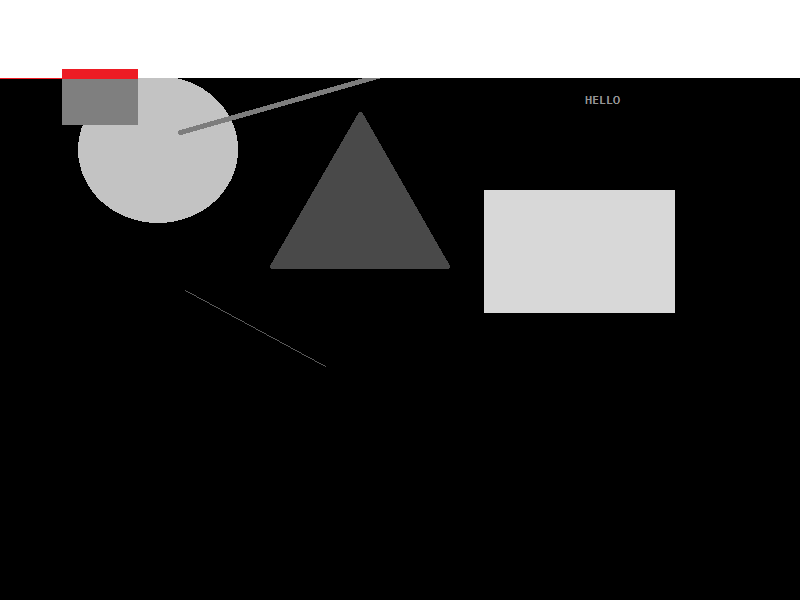
Finally, I needed a serious tool, this was a graphics tool... Almost a version of Paint for DOS.  To help design maps and other information in my game.  It worked by letting me place squares and circles, lines and even text into set places on the screen... It looked just like this...


Unlike anyone else in the class of A-Level students (as far as I know) I was the only one who knew about Interupts and could therefore use the mouse in DOS, so this blew a few people away.

This could save my image too, and I built up a very basic form of "Vector" graphics, without actually knowing what vector graphics were.

Later on, I came to add scale and delete to these items too, and this is where my innocence as a new programmer came along, I first started doing delete by using "GetPixel" to return the colour of the pixel below the mouse cursor, however, this failed terribly the moment I run it up and realised if I clicked on either the red circle or the red square both would vanish and I only had 16 colours in my pallette and really got disheartened.


So, I came up with a scheme to get more colours and workout which item I had clicked on... I went to grey scale, I converted each shape in the list of shapes to a grey scale of RGB (0x01, 0x01, 0x01) to RGB (0xFE, 0xFE, 0xFE)... This suddenly gave me 253 possible shapes in my list (as I used black and white as control colours), but 16 versus 253 I thought I was making HUGE strides.


I could then look up the pixel at the X, Y of the mouse to delete the actual shape below the mouse when delete mode was set... Nifty... So my mind thought, it was certainly a programming exercise, and very laborious on the 25Mhz 486 CPU's the college had.  Only much later did I think about accessing the back-buffer directly, locking the bits and stepping over the image in scan lines at vastly higher speed, anyway...

My next challenge for this program was to stop shapes overlapping, I immediately went to my grey scale mode, and started to so this... as the song goes... with "White Lines".... 


As the line of white moved across line by line, pixel by pixel, really really slowly, it checked if it found a grey - rather than black - making the pixel flip from RGB (0x00, 0x00, 0x00) to (0xFF, 0xFF, 0xFF), if the pixel ALSO was the RGB of the Grey shape I was adding, then this was left black, like so...


And I knew the shape was "free floating", with no overlaps... However, if there was an overlay, I added the RGB differently... So I could see the overlay... like so...


I was not only doing the processing live on screen, but it acted as a debugger for me as I went, without needing to spool up the Turbo Pascal Debugger on my measly 543K of free RAM.

This was a serious amount of work for me, when I learned a lot more about programming I came back to this briefly, but it never warmed my cockles more than when I wrote this program for the first time, I learned so much, I learned patience, to think a head, to plan, to process flow, to research the topic and ultimately to get things done first - in a prototype - and then revisit them.

I also ultimately used this same code later, at university in C++... Making this the first time I had prototyped a working application in one language (Pascal) and converted it to another (C++) and could say it was properly prototyped.  The latter use as as s tool to layout gardens in a sort of designer, I remember far less about the C++ version than the Pascal version.  But it's shadow lasts a long time, and remains over me today, I recall so much more about this one application than most of the others I wrote at the time, because it was something I engaged with.

I can only express to any budding programmer today, no matter that language you use, to just dive in there... 

Thursday, 30 March 2017

People : Some Life Advice (Reading)

My grandfather was quite a serious fellow, an absolutely lovely fellow, he was a (or even "the") chief quarter master for the Royal Mail in Nottinghamshire before he retired.  However, a mere five years, after he retired he had a diagnosis of lung cancer and was dead shortly thereafter.  The first major figure in my life to pass away.

I was eighteen, had just started university, and being honest with myself it affected me deeply, both personally, mentally and spiritually.  Personally as my mother then assumed she was the helmsman of the family, never have I seen the monkey leading the organ grinder more ineffectually.  Then mentally, he was gone, the one great intellectual figure in my life was gone.

His intellectual influence was deeper on me today than perhaps I ever realised, I remember when I was around three or four he showed me how to write the figure 8.  I distinctly remember his being behind me, his affirmative arms either side of me as he intoned an 8 before me, and I copied.  There was always paper to doodle on and pens in a draw, they were the main "play thing" of a wet or dank day, of which there are many in Britain.

He taught me to pronounce things, and to this day I can slap on a lovely accented English, very polite, which he taught me; and which my wife adores when I use it within a telephone conversation.  It empowers me to escape my strong, rough, Nottingham accent whenever I wish, both are part of me, one through nature the other nurture.

I also remember his buying books, or handing me books, the first I remember were the complete Encyclopedia Britannica, a lovely red leather bound set; which must have cost a fortune in the early 1980's; I'd sit and paw over these pages for hours, years later I remember some kid at school going on about French writers, I instantly named Victor Hugo... Thanks to those hours spent with my nose in a book.  Kids today can look things up instantly with the internet, but watch out for the kid who avidly reads anything, they might just be expressing their interests early.

Another day he handed me a huge book, it was a cheat book, with every answer to most all the crossword questions of the day, he was teaching me a lesson... You could sit and think about the intricate layout of the crossword, how things meet, depart and conjoin.  However, you could also just get the bloody answer.  This has become a massive power for me, I feel enabled, even if I don't know anything about a topic, or it's currently not on my mental radar, it is but a quick read away.

I know this, I'm sure reading this, you know it too.  However, how many people out there look at someone judge them and then think they can't do the same as them?  I'd suggest a lot of them do... When really they might just need to read the right book, or take the right advice, don't close yourself off from these people, embrace them, help them, let them help you too.

Friday, 10 February 2017

Programming : Obscure Languages I Learned

This year marks the twenty fifth anniversary of my learning a proper programming language (that is a language which was not BBC or Commodore BASIC, but required a compiler or interpreter and a code file to run).

This is longer than two or my team have been alive... Which blows them away, but which I take as quite worrying.  I worry as I wonder if my skills are out of date, despite my regular passed through modern papers & books on new technica... This is related to my "Talk the Talk" post scheduled for Sunday, so come back to that.... However, back to the here and now...

During my time as a programmer I have learned, mostly for academic or edge case scenarios, some strange languages, here are my top three strange, annoying or otherwise pointless languages...


3.  Haskell
Controversial to come, but I hate Haskell, it was to be learned as part of a  course module on "Functional Programming" during my degree; the difficulty being I was very much in a different linear mind-set for my then main language (Pascal) and learning to apply the Object Orientated Paradigm with C++ and Java.

I didn't like the language, found the interpreter to be very slow, and there seemed to be no clear connection between the book we had been set (which I still have somewhere) and the version of the language the course defined interpreter required us to use.

The task assigned was to quad-tree compress an image, I don't remember finishing, but have created image processing tools since with C++ and the CImg library.


2. Occam
Set as part of a course on parallel processing during my degree Occam was meant to teach us how to strip a process down to it's bare minimum and then run this in parallel with another process.  The problem?  The machines we had at hand to perform the course were old 386 PC's, whilst the Occam compiler was for the Motorola 68000, the solution... Cross compile and upload the Occam into a 68K daughter-board which was perched on top of the PC case tethered from flying off by a flaky ribbon cable.

The up shot was more time spent in the sweltering hot room, fanning these over heated, junks clunky boards than actually cutting code or learning anything... Perhaps I should revisit Occam?

If only the lecturer had let us use the just released Linux OS and pthreads!?!?!


1. Z
No, not Z++, Z... A formal description language!?!? I hear you cry, but no I have a book titled "The Z Programming Language" and we had the honour of trying to decipher this system description language into a series of function testing calls.  Not a true programming language per say, but still a horrible, horrible thing to behold.

I just have to mention "Z" to any of my peers from that same Uni class and they shudder, not least as we learned the following year would not study "Z" at all... Again, I still have the book, I may take a re-read, but for now Z languishes as the most unloved language I ever had to touch; really, I much rather had used FoxPro and SSADM, to that's how much I hated Z.


Coming up, my exploration of using the "R" language for data processing, in regards to which I have just had a massive book!  Yay.

Thursday, 2 June 2016

Software Engineering : My History of Odd vs Even

I've been a avid fan of Intel's processors since my very first PC, powered by an Intel 80486 SX-25 it taught me so much, it also got me into a lot of trouble once, being an SX it was essentially a DX unit with a failed floating point unit at fabrication.  But Intel being the trixsy tech wizards they are, they didn't throw all those chips away, they simply disabled the broken portions, kept the working addition and subtraction sides and sold them under the SX label.

This of course led to some interesting differences between the SX & DX chips, the most obvious being the multiplication behaviour, on a DX to multiply to numbers you simply loaded each into a register and executed the one step multiply.  However, on an SX you loaded the start value, and the denominator into two registers and then looped through for a number of times adding them.  So the pseudo assembly code for it might look like this:

      LDA 3
      LDB 10
MUL:  ADD LDA,LDA
      DEC LDB
      JNZ LDB,MUL
      SAV LDA,RESULT

Where we find us loading up the two registers, then performing an add in a loop until we've added enough times.  This is of course a lot slower than:

      LDA 3
      LDB 10
      MLT LDA,LDB

And, the more you multiply the slower the SX could behave.  It wasn't as simple as this, however, for demonstration purposes we'll assume it was, there's no need to comment telling me I'm a moron (again) I know I am, but this is only a demo.
      
But this little SX machine was the only machine I had, and I was moving my programming skills from the playground of the Atari ST to the PC proper, and so I chose to try and get a lot of juice out of the machine.  On trick I learned was to page through screen memory scanning for shapes, but of course I quickly needed a bunch of math functions.  Using the CMath library was quite slow on the SX, so I started to find quicker home-brew alternatives.

Initially I had no idea I was working around my own CPU's hindrances (I only found this out later, when I realised on a DX2-66 chip I was getting magnitudes better performance).

One hunderance, of function, I worked around was odd & even... To calculate this, you would usually use a remainder, by division, in C this might look like this:

int remainder = 34 % 2;

Remainder would have a zero value for even values

const bool OddEven (const int& p_Value)
{
    return ( ( p_Value % 2 ) == 0 );
}

I was doing this in Pascal at the time, the syntax of which I have forgotten.  But you can see, it is a fairly simple function call, quite non-descript.  My problem on the SX was it ran so slowly.  A lot faster was to convert the value into a string, and inspect the last character!

bool l_IsEven = true;
int l_Number = 42;
char* l_str = new byte[16];
memset ( l_str, 0, 16 );
sprintf( l_str, "%i", l_Number );
int l_lastCharacter = strlen(l_str);
switch ( l_str[l_lastCharacter-1] )
{
     case 1:
     case 3:
     case 5:
     case 7:
     case 9:   l_IsEven = false;
                   break;
}

So, we get a value in l_IsEven more quickly, and it was indeed quicker for me to do this...

However, when I first looked at this problem, I had no itoa, nor sprintf, all I had was integer control.  Indeed, in the programming language suite I started with the only way to get text easily from a value reference to a string of characters was to write them to the screen with "write" and then to move back to the start of the line with a return carriage, and then to "read" the line again.

This was very very very slow, much slower than even the switch statement bastardization above.

So, I set about it the most logical way my 14 year old mind could think of...

It took the number, and did this:

bool l_IsEven = false;
int l_Number = 12354;
while ( l_Number > 10000 )
{
     l_Number = l_Number - 10000;
}
while ( l_Number > 1000 )
{
    l_Number = l_Number - 1000;
}
while ( l_Number > 100 )
{
    l_Number = l_Number - 100;
}
while ( l_Number > 10 )
{
    l_Number = l_Number - 10;
}
switch ( l_Number )
{
    case 0:
    case 2:
    case 4:
    case 6:
    case 8:   l_IsEven = true;
                 break;
}

This of course was totally horrible, and I quickly stopped using it in favour of the string method, and later in favour of the remainder function.

However, this horrible history of code remained in one of my header libraries, at the time they were Turbo Pascal Unit files (TPU), but when I went to University at 18, some four years after writing this original code I had tried to convert some of my Pascal support libraries to C and then C++.

One of the legacy calls I converted, without even looking, with an automatic tool was this very stupid function above... And yes, it ended up in at least one degree level project (oh what a fool I looked).


P.S. I'm sorry to report, I've never owned an AMD processor... However, I did have a Cytrix x86 to upgrade this very Intel Chip!

Monday, 25 April 2016

Embrace C++14 Please Mr Developer

Today I've had to spend sometime setting up a Xenserver, to host some virtual machines, the moment I was done, of course the first request I had was for a developer to have a Linux machine running a compiler.

I was quite excited, in a C# & embedded C strong company to hear "C++" as the reply to my query "what language are you going to use?"... However, my excitement quickly evaporated when I asked, "What version of C++ do you need?"... And he replied "There are different versions?"

After I had explained, yes, yes indeed there are... I took a look at his code for him, and pointed out naked pointers:

char *something = new char[28];
memset (something, 0, 28);
delete something;

I quickly explained, as kindly as I could, that this code is not only wrong, but very very old hat, and I introduced him to the standard library:

#include <string>

std::string something;
something.resize(28);
memset(&something[0], 0, something.size());

And his eyes opened a little... He asked what version of C++ is this in???... C++98... and his crest fell again, realising it was very old tech, which he had no idea about.

So I pointed him to C++14 and explained smart pointers as something for him to try out:

#include <memory>
#include <iostream>

namespace Xelous
{
class Test;
using TestPtr = std::shared_ptr<Test>;
class Test
{
public:
void Hello()
{
std::cout << "Hello";
}
};
}

int main (int p_argv, char** p_argc)
{
Xelous::TestPtr instance = std::make_shared<Test>();
instance->Hello();
std::cout << " World";
}

So, once this was done, I left him reading a copy a Tour of C++ by Bjarne, and told him to read all of Scott Meyers books.

This is a sad state of affairs for a programming & technology environment, especially when I know the chap earns more money than me, and as polite as I was I did want to just ask him to get his coat, and I'd slip into his salary grade & comfy company car (a perk I don't get).

Not least because I think the chap whom sent me off to speak to this fellow treats me a little more like a trained monkey, and they've themselves no idea about virtualisation, servers or development, beyond say using Turbo C++ from the command line in DOS 6.22... And unfortunately, things have moved on a lot since them...

Anyway, this leads me to tomorrows post, which I'm drafting, I set this C++ developer on the path to C++14, and installed him a Ubuntu 14.04 virtual machine on my little server... He was amazed, until he wondered over to me and pointed out that he had to manually add -std=c_++14 to the build options, and that sometimes the code-completion crapped out on him... Seems older Codeblocks instances fall on their face, and the default version of gcc/g++ on Ubuntu is 4.8.x and we need 5.x for C++14.  The next post will cover going through setting this up from the command-line.

Thursday, 13 August 2015

I'm into Python

This week has been an interesting week for me, as I have, for the first time in about three years, began to learn the ins and outs of a new programming language.

This language is Python.  I've heard a lot about python, it's use at google, it's use by those who are on the sharp end of internet based development, but whom want to remain serious programmers.

Now, of course, I'm an old style programmer, and I like my code to communicate to me exactly what it's doing, so the first problem I've had with Python is it's use of white space as code flow control.  This is perhaps my biggest bug bare with the language, it totally grates me, and there are ways around it, using perhaps a semi colon to close a class, or an if statement, or simply to indicate that the current stanza/block of code is about to end, rather then using indentation to indicate this.

This particular problem is put into great focus on Python for windows, when loading Idle (the IDE supplied) and it constantly starts to moan about unexpected uses of spaces or indentation... You can literally pull your hair out over this, but that's a bug in that editor not the language.  The language just shows up the problem.

The power of the language though is strong, string editing, numerics, you have a C power straight out of the box, exploring the libraries like urllib and you have extremely simple (2 lines of code) methods to download files from the internet.

Within 200 lines of code I had a working application, which would trawl a website following all the links and listing them.  It's clearly very powerful and not as I had feared a toy language.

One frustration is getting a GUI working, there are perhaps too many options and nothing solid to follow in order to get an interface running.

I'll keep you posted, perhaps I'll come back with some Python code soon enough.