Its the day after THE day we wait for all year, yes today is Boxing Day and so yesterday was Christmas Day and I've had a fab day, thank you for asking! Lots of food, a little drink, a fair amount of chocolate, a home made cheese cake to die for and about an hour in the freezing air enjoying the hot tub with all the bubbles on... Hands down has to rate as one of the Best Christmas Days for me ever... and I hope yours were all as good.
Now, I know you're all asking, why have I been so quite on the old blog and YouTube Channel? Well, you know moving house completely threw things off, but also, in case you missed this news, I'm changing jobs.
Yes, after 14 years I'm leaving where I've been and I'm going to be doing something else. Quite what I can't tell you very much about, probably for a fair while. But what I can tell you is, I start the new role on the 2nd January, the team I have been assigned to is brand new and we travel to the US in mid-January to cement the bootstrapping of the new project.
And, this trip brings me to your sage pages. You have all likely seen my post about my once great and mighty custom built Laptop and you may have also spotted my frustrations (admittedly eight years down the line) getting a replacement battery.
But it's Boxing day there are sales, there's a trip abroad breaching the surface waters, I am frustrated with the older machine (which I still love and am using right now)... Time for a new Laptop.
My requirements are a solid machine for programming, a good screen, RAM upgrade possible and definitely both SATA and M.2 SSD internally stored, I like lots of storage and I like to be able to replace it. A replaceable battery, preferably as a pack is preferable and all of this as a known brand, so the battery would be on the market a fair while.
This means, GPU is not a concern really, it would be nice, but it's not a major concern, I've been down the gaming laptop whirlpool before it only ends in miserably depleted batteries and headaches replacing them.
The storage requirement I have also precludes eMMC or anything else which is fixed or soldered.
My first thought is for a quality machine, from a name, like Lenovo, Acer, Asus or Dell.

My very first laptop, way back in time was an IBM Thinkpad 360 a 486 SX 25Mhz, rocking 4MB of RAM and a 20MB hard drive running DOS6.22 and Windows 3.1.

I loved that machine, but lent it my brother when he started his business - and he had it stolen during a burglary never to be replaced... Grrr... But I loved the sturdy build on that machine, the keyboard was adorable, if I recall correctly it was a tiny form factor, like a 10" screen that did 640x480. It travelled brilliantly in North Africa in the late 90's with work, and handled the Turbo Pascal and Turbo C programming I threw at it. But due to the seeming prohibitive pricing and the changing of the keyboard I've never returned to the Thinkpad range, that thinking may change.
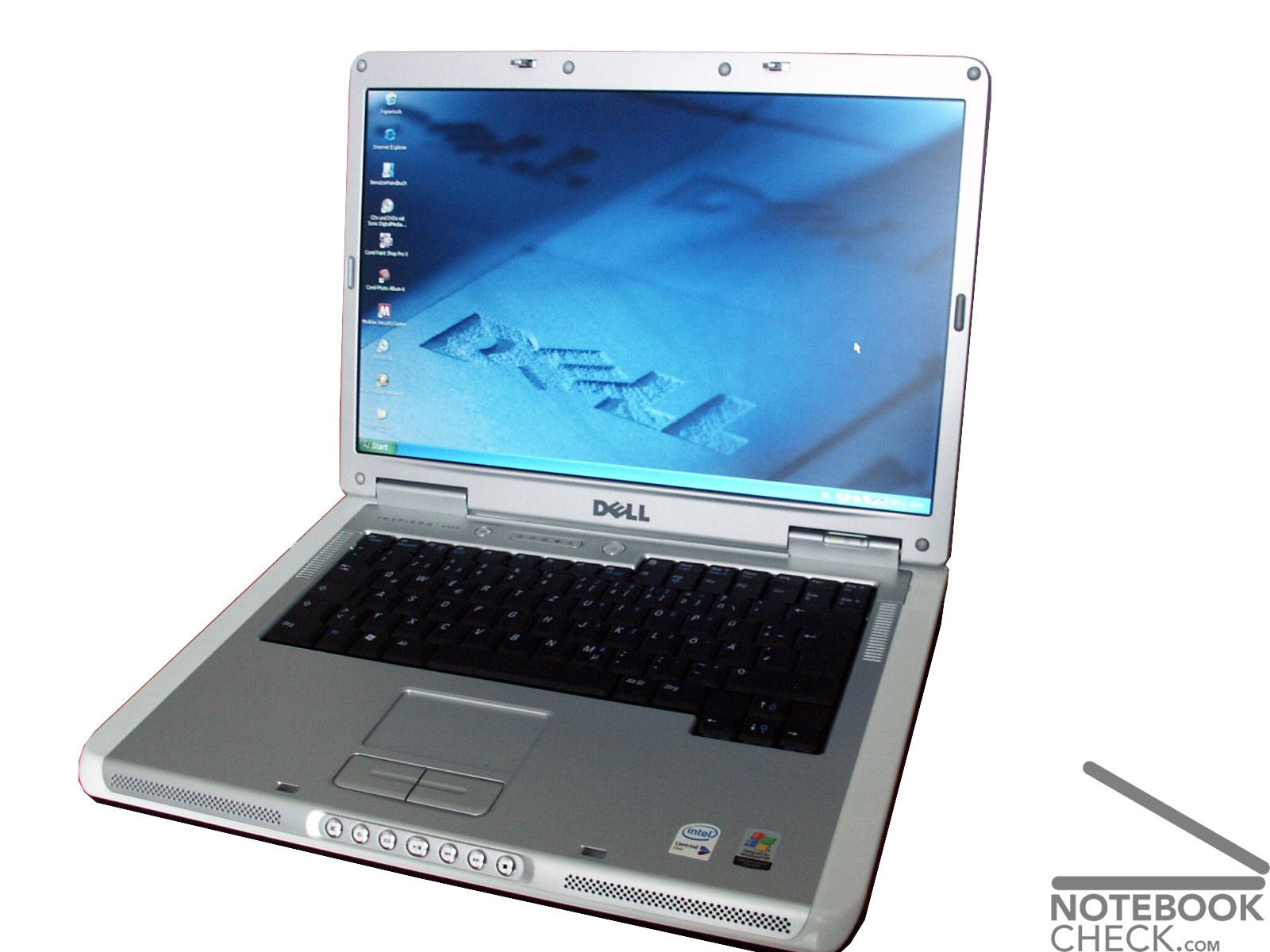
My second laptop is a veritable work horse Dell Inspiron 6400. I say "is" because we still have this machine, it was purchased when I worked for "The Lordz Gaming Studio" as my workstation and a gaming machine... At the time, when on mains power, it ran beautifully (though I have a tale to tell when it was on battery)... And today we still have it, it's had more RAM and several larger hard drives over time, but we still use it daily as the general house laptop running Lubuntu (the wife still hasn't realized she was covertly switched to Linux about two years ago).
Wanting to get a brand name, I started where I left off and went to look at the Dell site, which immediately splits Laptops by "Work" or "Home"... Clicking Work, foooooorget it, they immediately class you as requiring a Core i7 and price me out of the market, it's actually quite shoddy, in work I would say you need to pick the number of real cores to hyper threads, rather than limit the model number and so I know many of the Core i5 4 core 8 thread processors are being denied to me. I therefore beat a hasty retreat to "Home".
The next thing I noticed is that all the Dell units seem to ship with 8GB of RAM. Not unexpected 2019 is hurtling towards us at a rate of knots, but still it made me think about upgrade pathways, so set about finding tear down videos and images of inside these machines and was struck by how hard it is to pin down what you're going to be buying against what is on the screen, you can't tell, there's a skewing of the model number to contents within throughout their range, there's identifying model numbers which bear little to no relationship to the contents of the machine and worst of all many of the teardowns listed themselves as applicable to multiple models in the same lineage. Telling me what? Well, nothing firm, just that there's options beyond options but many of them look sort of fixes at birth for the boards within. I saw one out of four units come up as having two RAM slots, many others had only one. There was also no help trying to ask their online chat, they didn't know, they could only read what was listed with the product "it has 8GB of RAM"... yes, but can I put another one in?
However, I persevered and even started from a £679 machine to spec it up, however, I immediately saw that this whole line only had SSD storage a M.2 2280 no SATA storage option. Another tear down video later and I confirmed this machine had only the M.2 slot, no internal SATA. Which put it out of the running. But it had given me an idea of a base processor I was going to aim for elsewhere, I was edging towards the Intel Core i5-8250U (6MB cache, up to 3.4Ghz).
This processor ticks many of my boxes, it seems to keep the base chasis of a machine at a low price, it has four real cores with hyper threading and a decent boost frequency. Base frequency is lacking, but TDP is very desirable and it's battery life I'm concerned with. And the units in built GPU (an Intel UHD 620) supports upto 4096x2304, and 4K maybe somewhere I go (I already have a 2K monitor as my daily driver). It also supports up to 32GB of DDR4.
Similar processor counts, with slightly more cache, in the i7 range push prices up between £120 and £200, I could seriously live with this machine for 5 years and put that extra money into extra RAM and storage to add to a lower priced machine... So, the i5 is winning out and I'll carry on to other sites.
Now the Boxing day sales have kicked off, so I'm looking at the major high-street names and online retailers. Like Amazon, AO, Ebuyer and CurrysPCWorld.
Whilst on Amazon and AO I saw a series of Acer and Lenovo units which were very low prices, like £150-£180. The Lenovo IdeaPad 120 and HP Stream spring back into my mind, nice little units, too low-power for my linking and they're storage seems to be exclusively eMMC and tiny so not of use to me, but nice looking units, especially the Lenovo kit.
The only machine from this pass which really came to hand was the HP Pavillion kit, I saw a few others, but the Pavillion got really close. It's a brand name, the hard drive is a 2.5" SATA and can be changed. The RAM can also likely be upgrades with standard SODIMM modules. However, hard data is hard to get and the price is still just shy of £700. There's also no clear data on whether it can take both an SSD in M.2 form AND the SATA drive, there's a series of HP support images they themselves provide, but they're generic and clearly not specific to the unit I was looking at. A minor annoyance is the charger also seems to be a custom pin type to HP, rather than a generic/universal USB/C type.
Without that firm information, with the higher price, I can't justify the risk of just not knowing, I need to know, so the HP now falls to the way-side.
A lot of web pages and a fair few Intel Ark comparisons later and I'm heading to the Lenovo site.
Now the Lenovo site immediately wants you to go down a series channel, so you're looking at the E, the T, the L and X and Yoga lines, there's options all over the place. My immediate realization was the market (or maybe "experience" is a better description) experience of the Lenovo units, I was easily and quickly able to start see tear downs and information.
I started on the X and T series, quickly finding them drool worthy, but massively too expensive. The E series came into view, I wanted to keep to 14" screen and so the E4XX series. I'm an Intel bod, so E480.
So, a starting price of £431.99 today, with the Boxing Day 10% off.
The 2-3 week shipping missive has be worried, it may arrive as I'm on a jet half-way across the Atlantic and if we are in that situation, the machine has to be worth the wait. But if I can pick an off the shelf version "Ready-To-Ship", I'm happy to get it sooner and upgrade it with parts myself.
The immediate problem in the "Ready-To-Ship" types are the processors and screens, they all seem to be Core i3 and the screens are 1366x768 (hello, I have 2012 on the phone for you Lenovo). They're therefore straight out.
However, I can immediately see the memory customization options...

I can see 4+4 and 4+8, which is screaming that there are probably two memory slots and a quick google about tells me there are. This means the 4GB (cheapest) configuration needs checking for a price to upgrade to a total of 8GB or 12GB by adding an additional 4 or 8 stick myself.
If we buy the 12GB configuration straight from Lenovo, then it'll cost an additional £111... Can we get a single 8GB stick cheaper?.... Why yes, a Crucial 8GB stick of the exact same spec RAM is only £49.99, less than half price. Worth the risk of popping a brand new machine's case open? Certainly.
But if I got the machine at 4GB spec, that's how I would fly with it, I'd order the additional 8GB, but park opening the machine until after my travel... Still, worth knowing.
What about storage? Well, the motherboard takes an M.2 SSD 2820 and a 2.5" SATA and we can elect to ship with one or the other...

Playing the same game as with the RAM, we can see a cost of £85 for a 128GB M.2... Can I beat that?.... Yes, a WD Blue M.2 at 250GB is only £44.48. That's twice the space for half the cost. Lenovo, that is a pretty badly inflated price there.
We have to have the SATA mechanical drive, so our only question is RPM or the amount of space? And, I think for now 500GB at 7200RPM would be fine and we can upgrade later (like a 2TB 2.5" SATA is only like £70).
The E480 is looking pretty darn good to far, we can get it in the i5, we can up the screen to HD and it has an HDMI out. It's a USB-C type standard charger, we are all pretty much there.
It can't all be roses and light, what's the catch? The battery.
Yeah, we're right back to where I came in on this whole problem of a new machine, changing the battery. The battery on this is an internal unit, you can get to it, you can change it, but not easily and not on the road.
So, research time, can I find the exact battery type and can you buy them after market?
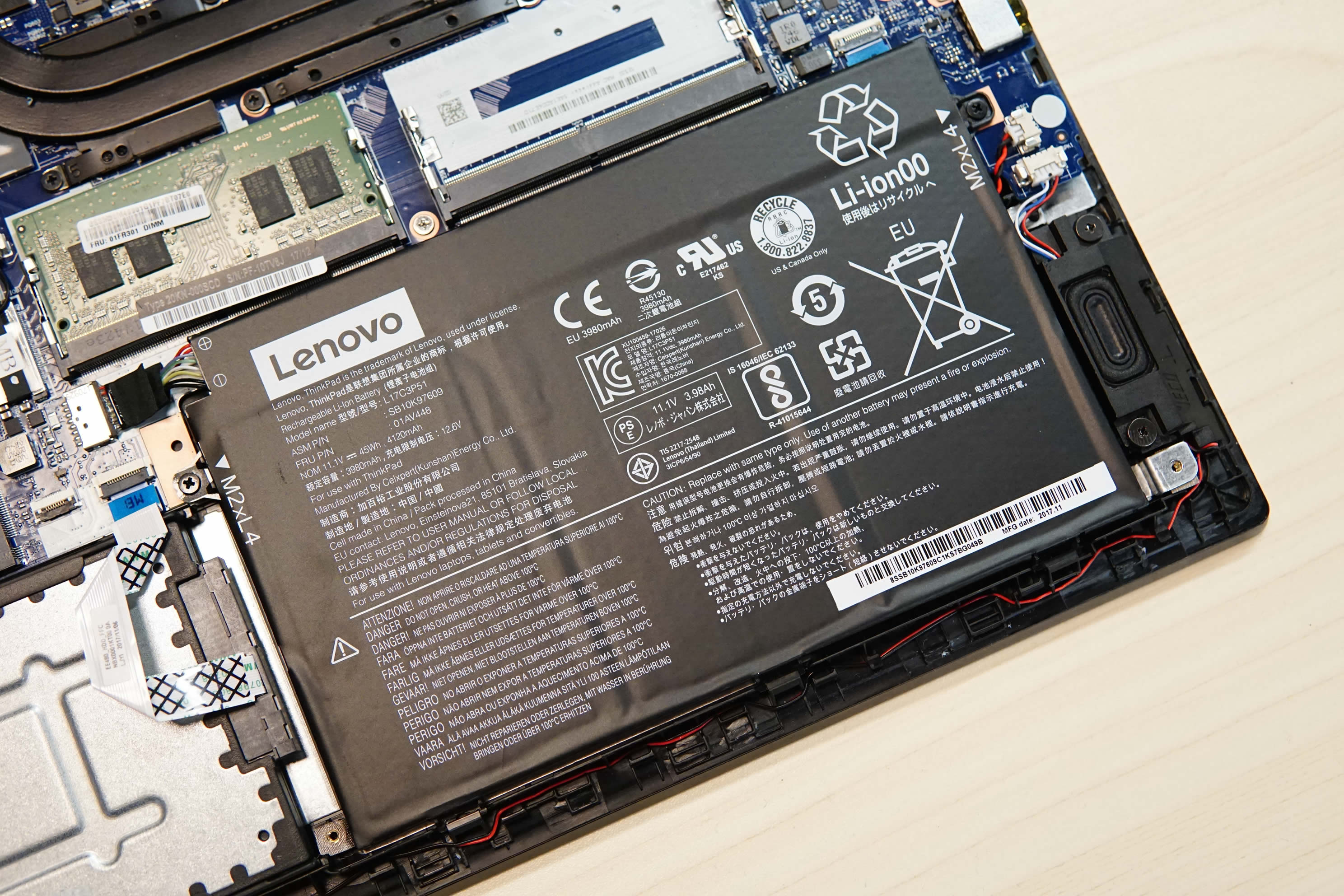
Yes, I can and Yes you can. So we're onto a bit of a winner here.
Linux will have to come later, we're probably going with the lowest RAM and disk, to up the CPU and screen, lets price up where we might stand at the end of this glorious research...

That's not a bad price point, lets say we have the RAM (£49.99) and 250GB SSD (44.48) after market, we add £94.47 to that base price. Giving us £607.99.
That's more machine, with head-room on the RAM expansion and storage for future proofing,
You know what, I may reach out to Lenovo, see what they can do to assist this project?... If only to improve that shipping time.
