Saturday, 7 June 2014

Yay Me


Did they say Jesus, or Xelous?...

Yes, it's my Birthday, Yay me!... Managed to keep breathing and not been hit by a bus for 36 years.

 Probably more apt is this ditty...


Now, back to the grind.

Friday, 6 June 2014

D-Day (1944-2014)

I grew up with both my Grandfathers having served in World War Two, my paternal Grandfather was British Infantry, with the South Notts Hussars, and early in the war my Grandad was the sergeant in charge of guarding Rudolf Hess on his madcap crash flight to Scotland, serving in many theatres my Grandad was quiet about his exploits and experiences but he did land with the first waves on D-Day at Sword beach.

My maternal grandfather was in the Royal Navy, serving as an AA-Gun Loader & Electrician on HMS Belfast (yes the on preserved in the Pool of London), on D-Day the Belfast was the first ship to open fire on German positions, and my Grandad used to tell of the sight he had of the worlds largest fleet ever assembled.

Today is a day were we the young, the survivors, the living can remember those deeds, we'll never see them, we'll hopefully never have to live through such turmoil between European countries again.

However, do all the nations of the world, do all the peoples of the world turn to the examples of supreme struggle during the two world wars and learn from them?

Let us hope, for the sake of all, these are painful lessons learned and remembered for all time.

Thursday, 5 June 2014

Comedy Amazon Reviews

I'm am Amazon Reviewer, yes shock horror... *cough* Anyway, I do try to use the items I get before writing a review, I've also always read books for review, which takes quite some time.

However, I had never realised there were funny comments getting so much plaudits.


Good on Amazon for the sense of humour.


p.s. Amazon - Please dispatch my new Graphics Card!

Wednesday, 4 June 2014

Virtual CPU - ROM & Interrupts

Interrupts are ways for hardware, and sometimes other pieces of software, to break into the flow of your CPU processing and tell it do something else.

This is my very friendly way of describing interrupts, unfortunately a lot of sources of good information drop people into the idea of these mystical beasts far too quickly.  I'm going to try not to drop you all in it.

Lets think about our CPU, and how we know it operates, our CPU has a Run function, which has a loop within.  This loop fetches an operation to carry out from the memory pointed to by the program counter and it acts on that instruction.

As we've seen from example programs we can also jump to a new memory address.

And if we took a close look at the Intel published datasheet from the prior post we'd also see that there are many other kinds of jump, jumps when things are equal, jumps when they're not, jumps for the sake of jumping...

Well, an interrupt is a special kind of jump instruction, which when the interrupt is signalled (triggers/fired - whatever term you want to use) gets inserted as the next instruction for the program to carry out.

The Interrupt instruction is special, because it tells the CPU to jump off to some piece of code elsewhere, but also remembers when that piece of code is complete to come back and pick up exactly where the CPU left off.

Like a function call in other programming languages, but at the CPU level.  In our programs therefore we now need to think about what state the CPU is in before and after an interupt is carried out (or handled).

Because the code in the interupt function might change the state of the CPU, and sometimes we don't want this.

A good example comes to mind from the very first real (i.e. not BASIC) programming language I learned, Pascal.  In Microsoft/Intel PC's running the MS DOS Operating system (16 bit) the BIOS had a set of standard interrupts, the standard interrupt number 11H (hexidecimal) was for the mouse, if this interrupt was triggered the mouse had moved, but we didn't want the state of the processor to have changed within our program, so when the interrupt handler was defined in our code we used to have to say:

"PUSH REGISTER STATE"

Before the interrupt code was run, and then when the interrupt processing was complete we would say:

"POP REGISTER STATE"

Lets look how an interrupt might work in our CPU Run function:

From left to right, we see our Program on our CPU... Then we see the Interrupt get signalled (some how) and the program counter is pointed to the new piece of code "A"... The Run function continues through the interrupt instruction codes and then returns to your program at "B", by setting the Program Counter back to point at your original programs' "next" operation.

The interrupt code could have changed any of the CPU registers or status flags, so it is at point "A" we must be able to Push, or save the current CPU state.  Then at Point "B" we must be able to Pop, or load the saved CPU state back into the machine proper.

We say "push" and "pop" as the structure we use to save and restore the CPU state is called a "stack".  I'll come back to that later, but you can check out an explanation of stacks here if you're eager to understand what we're talking about.

In our CPU however, we're not going to add a stack just yet, we're just going to add a set of mirror values for each CPU member variable.  In early silicon this would have been totally impracticle because of the cost of adding redundant duplicates of everything would have been far too costly... Those early chips might have therefore saved their registers off to memory.

Whatever they did the essence is the same as what we're now going to make our code do... it saves all the values somewhere.


So what might cause an interrupt and what might the code in an interrupt actually do?

Well, the most basic interrupt you will probably use today is the keyboard, as you press each key an interrupt is generated going off to the processor telling it that a key stroke has arrived.

The processor can then pick up and action the key stroke, adding it to data, or changing status however we instruct it to.

So where does the code for our Interrupts come from?  At the most basic level in your machine they come from the BIOS.  So the BIOS handles the key stroke, some store or queue many key strokes at once, and then they are handled by the processor as and when the Operating System software wants to accept them.

How might we add interrupt code to our CPU?  Well, from the last post we mentioned ROM's... We're going to write a ROM class and add to it key handling.


Right we've implemented our ROM class, then added the interrupt, now we can move into an interrupt and return from it, we also have the push and pop instructions added, so op codes 200, 201 and 202 are important to the interrupting process.

When we go into an interrupt the CPU changes state to start reading from the offset into the ROM, and it is up to the ROM code to return from that interrupt code.  The CPU has no idea when the interrupt is finished.  So the last instruction from our ROM function for an interrupt must be to return from it!

What might an interrupt series of byte codes in our ROM look like?  That's up to you!

In the next post in our series I'm going to write some platform specific code to let us read characters from the keyboard, until I do that however, we'll just pretend an interrupt has been called...

WarThunder - Battle Start Bug

I just ran into a bug in WarThunder, I had played my German Tanks, assigning a couple of aircraft too and flying out into a mission.

That ended and I returned to the menu, leaving my German selection as was, and selected my British Tree.

I selected my Beaufighter and selected to go to battle, but I had left the toggle set to "Tank Battles", so it told me I "That Nation is temporarily Unavailable".  This isn't the bug, the bug is that I just switched to Air battles and clicked to start battle...

The realistic battle starts for me, but instead of being British, I've been thrown in as German...

And for an Air Battle, I only have tanks available in the realistic slot I had selected... So, I can't spawn...


All I could do was quit the game, and it seems from my telling other players that this has happened to others.

I hope my posting comes to the attention of Gaijin & they fix this one.

Tuesday, 3 June 2014

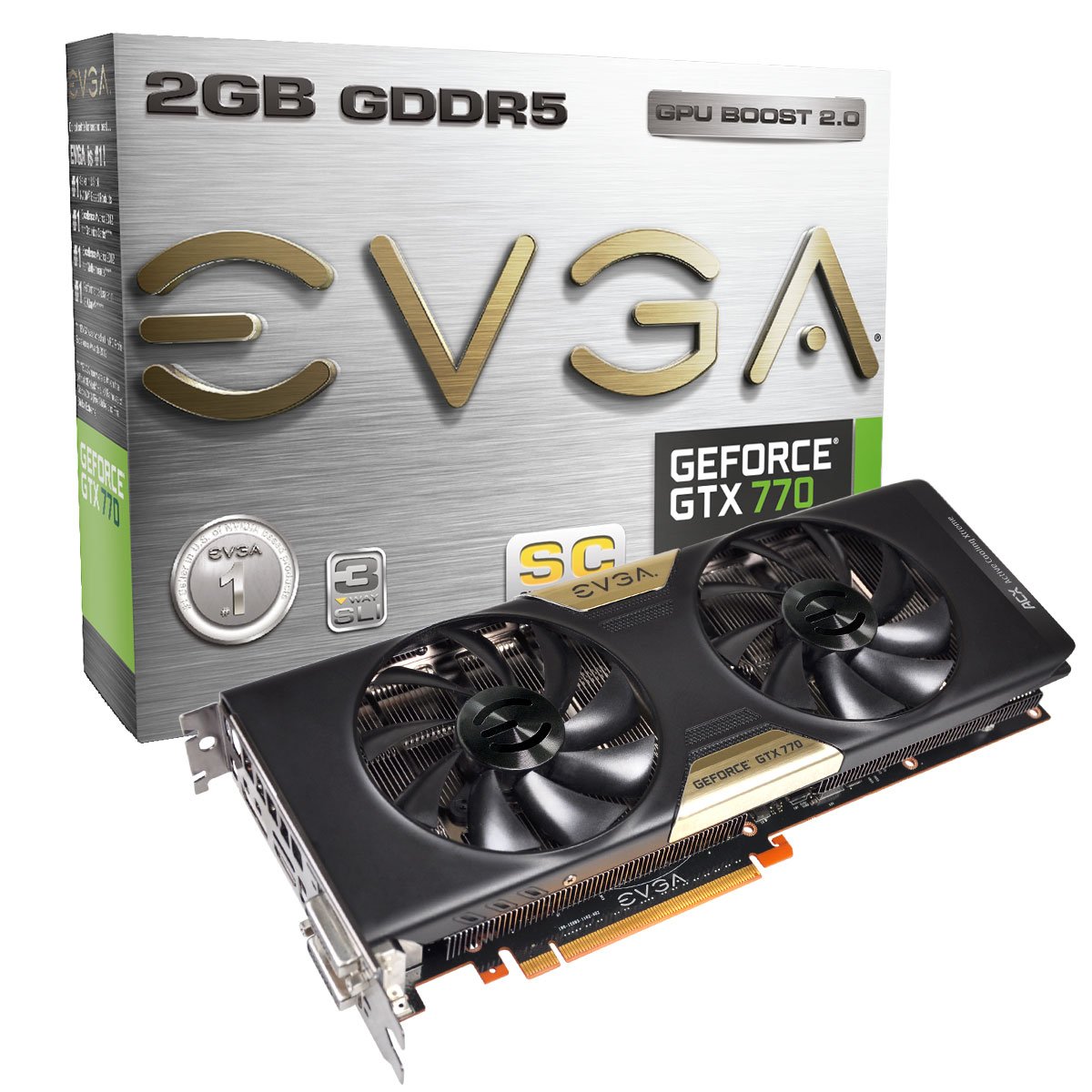
GeForce 770 GTX SC on WarThunder and World of Tanks

I want to enter a decent picture for the monthly Screenshot of the Month Competition over at WarThunder... I figure applying the vintage texture filter is going to be a must, and I'm going to have to find a reference shot then build skins for the aircraft involved.

Since I'm a bit of a billy no mates its also going to be important that I have something which is perhaps just my aircraft and some action in the foreground.

Nailing the aircraft custom skin is going to be the key...

But what pictures are floating around the internet for me to take on?


Spotting that one was promising, the P47 is not an aircraft I have unlocked yet, but I'm currently researching it, which would give me time to work on the custom skin... I think the difficulty would be finding that exact structure in the game and flying near it...

I've also looked at real-world footage of the BF110, but can't seem to find anything which fits...

I also spotted this image, which will require a friend or an AI stuka...


But, wait wait wait... You've all seen my screen shots and that I have either used a 540 GTX or an older 260 GTX Graphics card to play WarThunder... How can I possibly take really high quality screenshots?

Well.... Drum roll please... I've just been informed that an item from my Amazon Wish List has been purchased for me for my Birthday, which is very soon... The item is....


Oh yeah, an Nvidia GeForce 770 SC with ACX Cooler, not a 780, not a titan, but price versus performance for my rig this is the beefiest thing I've ever ever put in a PC my end.

And I am going to run WarThunder and World of Tanks in such stunning high detail that I'll get myself a case of "The Apocalypse Now's"... You Wouldn't know man, you weren't there!

Monday, 2 June 2014

Clean PC & OpenGL

Its been a long weekend, and a hard weekend, I've been doing a lot of code over the weekend, moving an important project from a most defiantly developmental footing to a much more mature footing.

But I've also been and finally had the car sorted, the clutch was never right after the last fixes it had, I've had a new clutch fitted, then was told to fit a new clutch cable, which I did; but still the drive was not right.  When I went to pick the car up a very sheepish mechanic said "Its only £30 for a new pressure plate and oil".. okay... Cool... Two days of labour, £30... What gives... Yes, it'd had a whole other new clutch...

It drives sweet as a nut now, but it does make me wonder how crap was the other clutch, it lasted from October 2013 to June 2014.  I mean, I know after market clutches are cheap tack, but this took the Michael it really did.

Anyway, that all done I was wired late last night, so decided with the project above delivered for feedback I could take some time to service my main PC.  It had been a little battered over time... 


And the first thing I did was give the whole brushed aluminium case a good clean, the fins at the top the grills on the front and the dust mesh points at the bottom over the air in takes.

Then I opened it up and cleaned the case fans, now as you can see I fitted them in 2011, so that's just shy of 3 years service.  They were dusty, but not terribly so.  A quick wipe was all they needed, the rear of the case also just a quick wipe.

The most dust was concentrated in the graphics card, and around the CoolMaster plastic funnel which has its own mesh dust cover, this was sodden with dust and I soon had the card out and dusted it clean before refitting.

My other task was to clean the Corsair Airflow...


Now, this thing had been making a lot of noise, and when I disconnected it and brought it out into the mid-night light bulb glow it was utterly ditched.  Large foamy dust bunnies had formed on all the stanchions and as the whole machine is side mounted the upper sides of the support legs were thick with fir...

Really strange, considering that this is not the main cooler and that there's filtered grills all around this unit... But then it dawned on me, I connect this to the power fan header on the motherboard, and the Q-Fan profile does not include that header.  So this is the only fan set in the machine NOT being speed controlled against performance/heat.  So it was going to be noisy because of the small size of the fans.

Adding in the dust only added to the noise/turbulence.

Cleaned up and refitted tightly however and it is a lot quieter.  My Ram of course is also now being cooled better.

One other thing I'm taking a look at is how OpenGL performs from the libraries shipped with MinGW on CodeBlocks for windows:


From the project menu you can easily create a Test OpenGL project and build it... I assume its running in Mesa/Software... But it runs...


Aside from this, I have Wednesdays Post for the Virtual CPU project done, it was actually written last week, but I've had some problems uploading the two videos for it to YouTube.  I hope with the machine tuned up to upload them this evening.  Even if the videos are not present, the post is scheduled to go... And it covers Interrupts.