Showing posts with label nvidia. Show all posts

Tuesday, 5 November 2019

Monitor Stuck in Interlaced Mode?

Sorry for the very long delay between posts, I am just incredibly busy... But, here's a problem I've just had to solve and I thought worth coming to these pages for... Ever had a screen stuck in interlaced mode?

So my monitor is an Asus MX27AQ, really nice screen, but I was part of Alpha testing of a game at the weekend and it had set the game into what appeared to be 1920x1080@60hz interlaced mode.  I have NO idea why the game did this, but it was all testing and work in progress, they had a report and I closed the game.

But, it left my screen stuck in a strange way, it wasn't interlaced it had gone back to progressive, but it was at 59hz not 60, no matter what I did with drivers or windows display settings it was stuck at a lower refresh rate, selecting 60hz just resulted in no change and the "Do you wish to keep these changes"... Nothing was happening, either accepting them or reverting them.

And the horizontal pixel clock seemed to be off, now I could not change this setting, either in the screen controls, windows display controls nor by removing and reinstalling the display driver nor graphics card driver, even removing all the settings seemed to leave the screen still in this situation... I reset it, re-powered it, disconnected reconnected... I did everything physical and software related.

Absolutely frustrated I then delved a bit deeper, and inside the nVidia display settings I found "Create Custom Resolution", you can get to it on your own nVidia card via their menu...


The key thing for me was to create an invalid resolution, so I just changed progressive to interlaced...


And hit that "Test" button at the bottom.

The screen went on the fritz immediately, but only for 15 seconds as I didn't accept the changes and the screen righted itself.

Properly righted itself, all the settings came back, the pixel clock skew was gone and I could see 60hz and select it for the display again.

I think this was a case of the screen itself holding onto some setting maybe on its own firmware... I'm totally guessing... and in kicking it again via the nVidia driver I cleared the bad settings out.

But, the did persist, over power cycles, over reboots, over removing and replacing the drivers and even taking the screen to another PC (in my case a laptop) I even changed from a Display Port cable to an HDMI cable.  The only thing to sort it out was the bad custom resolution and letting the display return to "normal".

Thursday, 19 October 2017

Gaming, AMD & HP

Over the next few weeks I'm going to be musing about the connections between the humble concept of the PC, where it started for myself, which processors and upgrade options I've taken, which dead-ends I've been down and where that took my gaming experience.

And where I hope to take my gaming experience in the future.

Today of course I'm running a quite nice Intel i7 processor and an EVGA GeForce 1080 GTX graphics card, however, that rig is nearing end of life for me, only the graphics card is a recent edition, and so as a high-performance low budget kind of chap I will be looking at my options, including the latest offerings from both Intel and AMD and the modern differences in nVidia versus AMD graphics offerings.

The secondary thread from this will be a little retro-grade gaming, this is not going to be full on retro - though I am in the mood for some Carrier Command on my Atari ST - we're going to be looking at retro post 2000 stuff.... Watch this space.

So why does this post have "HP" in its title, well... the community out reach team over at HP have sent me a missive, and though they have a zero budget want to share my posts with you guys in the world.

If you came here from a HP/AMD re-tweet, post in the comments below!

Thursday, 1 June 2017

You know...

You know that moment, when it's been over a week since you blogged, and yet you feel like it's been five minutes as you're so busy... Yeah, I've got that feeling right now...

So I thought I'd take a moment to list a few planned projects I have for these pages, if I ever get time for them....

The first is to look at the Intel TBB library, this is intended to assist in taking full advantage of the multicore capabilities of Intel chips, not something that has ever fully come into my sphere of interested (beyond running threaded code with posix threads or boost::thread or std::thread of course).

The second is some more Javascript, Python and MySQL interconnection code, in order to write a ticket/development control system, this is because I need a new one, I'm a little tired of the ones I use professionally, and the good ones out there on the interwebs are generally paid for, or limited for free, services.  So I want something super simple to handle my tickets... "Super Simple Tickets"... SST... That has a ring to it.

The third is to finally, go through some of my old Atari hardware, I plan to go through a video series just building from all the spares I have an Atari STE and I'm going to sadly sell it, as I have a LOT of junk left around the place.

A fourth might be to put together some AM1 powered AMD based machine, in order to see if the Intel TBB leverages itself smoothly onto that platform, and it appears to be pretty cheap to get entry there.

A fifth is to start recording some more game-play on my brand new EVGA nVidia 1080 GTX SC, which is an awesome piece of kit and has opened up the scope of my game play from my retired EVGA nVidia 700 GTX SC... Yes, Superclocked to Superclocked I have moved, and it was a tear because the 770 still stood up and produced such good results on the games I play, however, Unreal Engine 4 based games coming out over the last year have started to test it, and I never could get good performance in early versions of Ark (before they optimised it) and not at all in the currently unoptimized Player Unknowns Battlegrounds... So an upgrade I had, and nearly £600 later I'm a very happy puppy.  Though the delivery was rather shoddy.

And the final sixth is related to the fifth, to record more about the Medieval Minecraft Fortress and underground themed base I've been building from the excellent book I reviewed previously.

Anyway, that's what I'm planning to be up to... 

What are you guys doing?

Tuesday, 3 June 2014

GeForce 770 GTX SC on WarThunder and World of Tanks

I want to enter a decent picture for the monthly Screenshot of the Month Competition over at WarThunder... I figure applying the vintage texture filter is going to be a must, and I'm going to have to find a reference shot then build skins for the aircraft involved.

Since I'm a bit of a billy no mates its also going to be important that I have something which is perhaps just my aircraft and some action in the foreground.

Nailing the aircraft custom skin is going to be the key...

But what pictures are floating around the internet for me to take on?


Spotting that one was promising, the P47 is not an aircraft I have unlocked yet, but I'm currently researching it, which would give me time to work on the custom skin... I think the difficulty would be finding that exact structure in the game and flying near it...

I've also looked at real-world footage of the BF110, but can't seem to find anything which fits...

I also spotted this image, which will require a friend or an AI stuka...


But, wait wait wait... You've all seen my screen shots and that I have either used a 540 GTX or an older 260 GTX Graphics card to play WarThunder... How can I possibly take really high quality screenshots?

Well.... Drum roll please... I've just been informed that an item from my Amazon Wish List has been purchased for me for my Birthday, which is very soon... The item is....


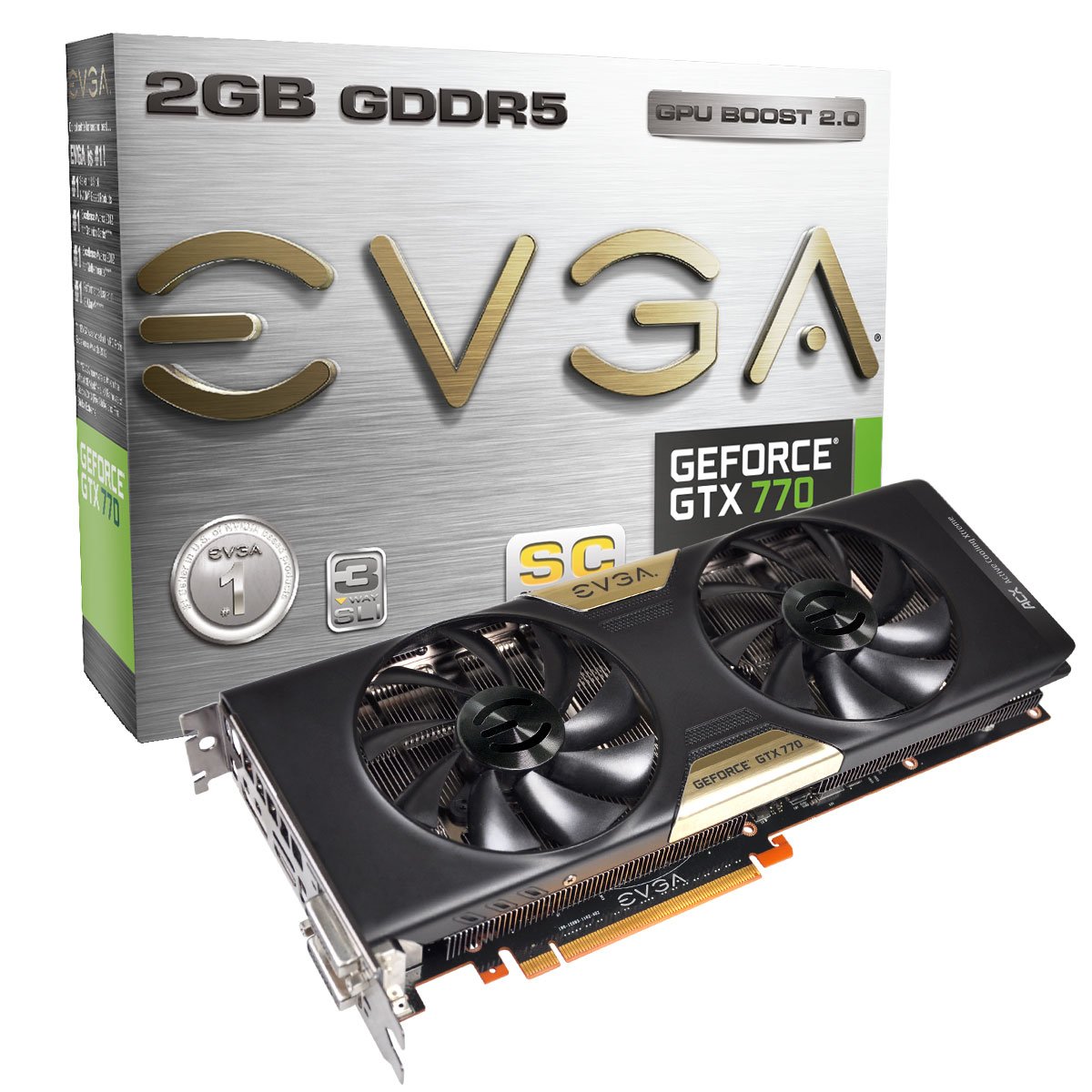
Oh yeah, an Nvidia GeForce 770 SC with ACX Cooler, not a 780, not a titan, but price versus performance for my rig this is the beefiest thing I've ever ever put in a PC my end.

And I am going to run WarThunder and World of Tanks in such stunning high detail that I'll get myself a case of "The Apocalypse Now's"... You Wouldn't know man, you weren't there!

Thursday, 19 December 2013

Read the Specification 2

I've often chided others for not providing me a clear specification, well today I have to chide myself... bad Xelous... BAD BADDD!!!!... For not reading the specification.

Now, in my defence, it was not my fault... The specification was IMPOSSIBLE to attain, and I made the obvious assumption that the person handing it down to me was not an utter fail-tard, not an unreasonable thing to do... But they did fail and so I failed and I'm BAD.

The problem is a system, a widely used system - with many units floating around - which the company produces is equipped with an nVidia GeForce 7300 graphics card.  And I was tasked with exploring the possibility of using OpenGL on this hardware, and the manual I was handed was for OpenGL 3.3, so I set about creating code for this.

None of the code worked, nothing, nada, zip... I looked up tutorials, I contacted online tutorial writers, I looked through forums, I searched for ways to see if the code was wrong, or failing... Nothing, it was saying it worked and was working... But nothing was being displayed so somewhere something was lying.

Frustrated I resorted to basics... and the most basic level you can get to using a library like OpenGL is... "Are these calls supported"...


The new features in OpenGL 3 require G80, or newer hardware. Thus OpenGL 3.0/3.1/3.2/3.3 is not supported on NV3x, NV4x nor G7x hardware. This means you need one of the following NVIDIA graphics accelerators to use OpenGL 3:

So there you go, my fault I should have looked earlier, my own fault... But the other guy, boy should he have thought about this before passing me a manual.

Tuesday, 27 August 2013

OpenACC

Previously on these pages I talked about getting into GPU processing, well I'm officially setting off on this project for reasons of exploration, but also to help you guys out there – the average programmer – get an easy grasp on the topic step by step.

I've no idea how this all works, so my first port of call has been the nVidia Developer Zone regarding Cuda... https://developer.nvidia.com/what-cuda … And I've spent a fair amount of time reading up on things.

My immediate problem was the dropping of library names and buzz words, which I have no idea what they are, and the page does not directly explain “MKL BLAS, “IPP”, “FFTW” all obfuscating abbreviations which in this days of rich information content on the internet its inexcusible to see them listed with no references.

Another item talked about is “OpenACC” directives, which as the page explains can speed up your loops in Fortran or C... But again there's no link to what “OpenACC” is.

Stepping forward to the “Getting Started” page and firm information is still obfuscated, I think perhaps nVidia's page – as informative as it is on the whole – is trying to not drop too much technical information on the programmer too quickly.  However, this is an advanced programming topic, anyone wondering in to attempt this has to be of a calibre able to soak up more information more quickly than this site seems to dole it out.  Though I have an expectation for there to be a sudden and deep learning curve begin any second.

Our first step is going to be what appears to be the simpler of the items listed, GPU Directives, which are part of the already mentioned “OpenACC”.  These are going to help parallelise loops in code – C code for us.

The page explaining this is fairly well featured, and this tantalising image is presented:


The immediate problem with this “open” standard however is that the companies supporting it are turning it into proprietory tool chains.

Without the tool chain – the compiler and linker – understanding what you're asking of it, your code won't contain or leverage the GPU for you, it'll just be plain old CPU driven code.  The page presented even goes so far as to present trials of software compilers to help gain access to the technology.

Unfortunately a 30 day trial isn't really what I'm after, and not really what I think an “Open” project should end up as.

Indeed crawling the net searching for further details one finds a plethora of content deriding Compilers for their lack of OpenACC acceptance, or even posts prophesying the arrival of OpenACC or even OpenMP support “in 2013”.  But it seems here now in 2013, its still not arrived:


Without tools readily available it leaves you rather stuck as to how to proceed investigating OpenACC.  My next step was this PDF document, explaining the directives: http://www.nvidia.com/docs/IO/117377/directives-tips-for-c.pdf

This is really a nuts and bolts approach to getting your C application to use OpenACC loop practices.  A good introduction.

The big problem with this however, is that it all references back to the Portland Group's proprietary compiler.  To which one can only get a 30 day trial.  Something I'm not open to signup up for just yet, at least not without a whole series of OpenACC code to run through it in short order.